
Multiples of 7 Circle Sort
Loading the math board and drawing, please wait…
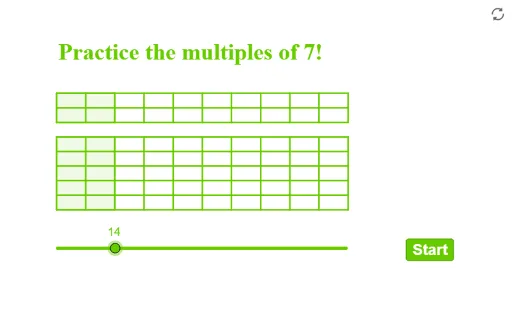
This example demonstrates how to classify and visualize multiples of 7 using circles. It involves core mathematical concepts such as multiples, circles, intersections, quadrilaterals, complex numbers, and 3D vectors. The construction utilizes GeoGebra commands like Shuffle, Element, Circle, Polygon, and Sequence. Suitable for high school and above, it illustrates the application of number theory, geometry, and complex numbers.
GeoGebra Commands & Parameters
Shuffle(listp) → listq, {(9, 11), (14, 14), (12, 11), (15, 11), (8, 14), (3, 11), (6, 11), (11, 14), (5, 14), (2, 14)}Element(listq, 1) → P1Element(listq, 2) → P2Element(listq, 3) → P3Element(listq, 4) → P4Element(listq, 5) → P5Element(listq, 6) → P6Element(listq, 7) → P7Element(listq, 8) → P8Element(listq, 9) → P9Element(listq, 10) → P10Circle(P1, rR) → aaCircle(P2, rR) → bbCircle(P3, rR) → ccCircle(P4, rR) → ddCircle(P5, rR) → eeCircle(P6, rR) → ffCircle(P7, rR) → ggCircle(P8, rR) → hhCircle(P9, rR) → iiCircle(P10, rR) → jjShuffle(listquestion) → listqn, {2, 3, 5, 9, 6, 10, 1, 4, 7, 8}Element(listqn, elm) → qQPolygon((2, 9), (2, 11.5), (a / 7 + 2, 11.5), (a / 7 + 2, 9)) → q1, f, g, h, iSequence(Segment[(m, 9), (m, 11.5)], m, 2, 12) → l2Polygon((2, 12), (2, 13), (2 + a / 7, 13), (2 + a / 7, 12)) → q2, j, k, l, mSequence(Segment[(2, 9 + n), (12, 9 + n)], n, 0, 2.5, 0.5) → l1Sequence(Segment[(m, 12), (m, 13)], m, 2, 12) → l3Sequence(Segment[(2, 11.5 + n), (12, 11.5 + n)], n, 0, 1.5, 0.5) → l4
AI Drawing Prompt Reference
Visualize the classification of multiples of 7 using circles and geometric shapes, start by randomly arranging pairs of numbers and drawing circles for each, then connect the circles and shapes in a random order to form intersecting circles and quadrilaterals, also use line segments to connect different positions, finally present a complex figure combining number theory, geometry, and complex numbers, suitable for high school and above.
The prompt above was compiled from the original drawing commands and is for reference only.