
Multicolored Butterfly Curve
Loading the math board and drawing, please wait…
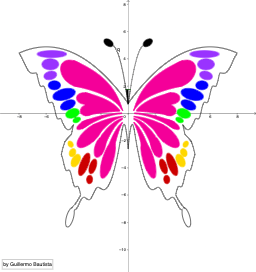
This example demonstrates a multicolored butterfly curve, involving concepts such as functions, reflection, and derivatives. Using GeoGebra commands like IntegralBetween and functions, a beautiful butterfly shape can be constructed. Suitable for high school and above students learning calculus and function graphs.
GeoGebra Commands & Parameters
IntegralBetween(u3b(x), u4b(x), -4, -0.4) → cIntegralBetween(u3a(x), u4a(x), 0.4, 4) → dIntegralBetween(u5a(x), u5b(x), 0.61, 3.16) → eIntegralBetween(u6a(x), u6b(x), -3.16, -0.61) → iIntegralBetween(u7a(x), u8a(x), 0.45, 3.4) → lIntegralBetween(u7b(x), u8b(x), -3.4, -0.45) → jIntegralBetween(u9b(x), v1b(x), -2.61, -0.41) → nIntegralBetween(u9a(x), v1a(x), 0.41, 2.61) → mIntegralBetween(hd(x), q(x), -0.16, 0) → uIntegralBetween(v4a(x), v5a(x), 0.41, 1.36) → tIntegralBetween(v4b(x), v5b(x), -1.36, -0.41) → sIntegralBetween(v2a(x), v3a(x), 0.41, 1.98) → oIntegralBetween(v2b(x), v3b(x), -1.98, -0.41) → pIntegralBetween(hd(x), r(x), 0, 0.16) → v
AI Drawing Prompt Reference
Draw a multicolored butterfly curve with multiple segments and reflections. Start by drawing the curves from -4 to -0.4 for u3b(x) and u4b(x), then from 0.4 to 4 for u3a(x) and u4a(x). Next, draw the curves from 0.61 to 3.16 for u5a(x) and u5b(x), from -3.16 to -0.61 for u6a(x) and u6b(x), from 0.45 to 3.4 for u7a(x) and u8a(x), and from -3.4 to -0.45 for u7b(x) and u8b(x). Then, draw the curves from -2.61 to -0.41 for u9b(x) and v1b(x), from 0.41 to 2.61 for u9a(x) and v1a(x), from -0.16 to 0 for hd(x) and q(x), from 0.41 to 1.36 for v4a(x) and v5a(x), from -1.36 to -0.41 for v4b(x) and v5b(x), and from 0.41 to 1.98 for v2a(x) and v3a(x), and from -1.98 to -0.41 for v2b(x) and v3b(x). Finally, draw the curves from 0 to 0.16 for hd(x) and r(x).
The prompt above was compiled from the original drawing commands and is for reference only.