
Multi-Step Transformations Demo
Loading the math board and drawing, please wait…
In collections
Transformations Stations
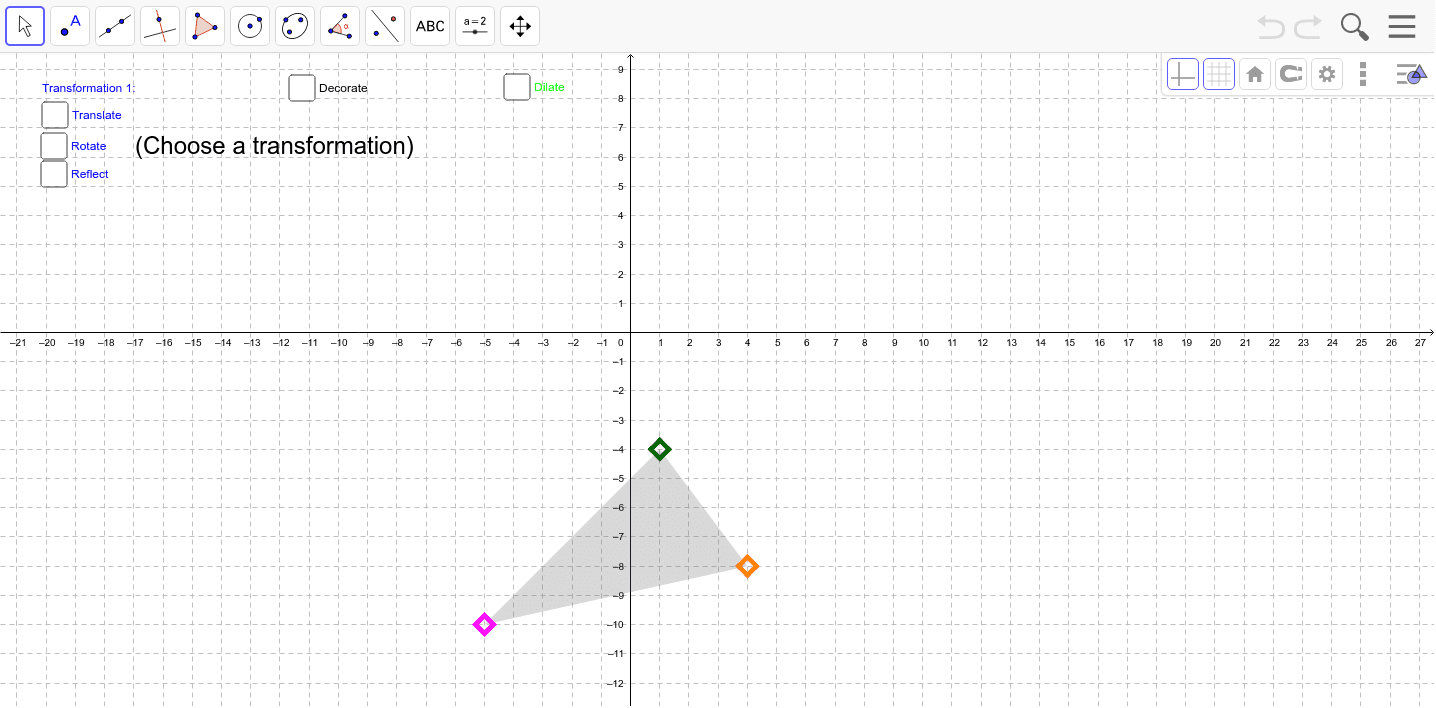
This example demonstrates interactive single or multi-step transformations. Users can control the transformation process using sliders and interactive elements, visually showcasing the effects of geometric transformations. Core math concepts include geometric transformations, similarity, symmetry, and coordinate geometry. Construction highlights the use of GeoGebra commands such as Line, Mirror, Dilate, Polygon, Vector, Rotate, Angle, Segment, and Translate. Suitable for high school students learning geometric transformations and spatial geometry.
GeoGebra Commands & Parameters
Line(D, E) → Mirror_1Mirror(B, Mirror_1) → B'_3Dilate(T, T_2 / 100, B'_3) → T'Polygon(A, B, C) → poly1, c, a, bDilate(F, T_1 / 100, B) → F'Vector(B, F') → uRotate(A, ((T_1 / 100 * 360))°, G) → A'Rotate(B, ((T_1 / 100 * 360))°, G) → B'Rotate(C, ((T_1 / 100 * 360))°, G) → C'Polygon(A', B', C') → poly1', c', a', b'Angle(B, G, B') → αDilate(B, 0.2, G) → B'_1Dilate(B', 0.2, G) → B''Segment(G, B'_1) → dSegment(G, B'') → eTranslate(A, u) → A'_1Translate(B, u) → B'_2Translate(C, u) → C'_1Polygon(A'_1, B'_2, C'_1) → poly1'_1, c'_1, a'_1, b'_2Mirror(A, Mirror_1) → A'_2Mirror(C, Mirror_1) → C'_2Dilate(A'_2, T_1 / 100, A) → HDilate(B'_3, T_1 / 100, B) → IDilate(C'_2, T_1 / 100, C) → JPolygon(J, H, I) → poly2, i, j, hRotate(A'_1, ((T_2 / 100 * 360))°, K) → LRotate(If[Translate_1, B'_2, I], ((T_2 / 100 * 360))°, K) → MRotate(C'_1, ((T_2 / 100 * 360))°, K) → NPolygon(L, M, N) → poly3, n, l, mDilate(M, 0.2, K) → M'Dilate(If[Translate_1, F, I], 0.2, K) → F'_1Segment(K, M') → fSegment(K, F'_1) → gAngle(F'_1, K, M') → βLine(O, P) → kMirror(F, k) → F'_2Mirror(C'_1, k) → QMirror(A'_1, k) → RDilate(Q, T_2 / 100, C'_1) → Q'Dilate(F'_2, T_2 / 100, F) → SDilate(R, T_2 / 100, A'_1) → R'Polygon(Q', S, R') → poly4, r', q', sVector(B'_3, T') → vTranslate(A'_2, v) → A''Translate(B'_3, v) → B''_1Translate(C'_2, v) → C''Polygon(A'', B''_1, C'') → poly1'', c'', a'', b''_1Mirror(B', k) → B''_2Mirror(C', k) → C''_1Mirror(A', k) → A''_1Dilate(B''_2, T_2 / 100, B') → UDilate(A''_1, T_2 / 100, A') → VDilate(C''_1, T_2 / 100, C') → WPolygon(U, W, V) → poly5, v_1, u_1, wDilate(T, T_2 / 100, B') → T'_1Vector(B', T'_1) → pTranslate(A', p) → A''_2Translate(B', p) → B''_3Translate(C', p) → C''_2Polygon(A''_2, B''_3, C''_2) → poly1''_1, c''_2, a''_2, b''_3Rotate(J, β, K) → J'Rotate(H, β, K) → H'Rotate(I, β, K) → I'Polygon(J', H', I') → poly2', i', j', h'Mirror(B'_3, k) → ZMirror(A'_2, k) → A_1Mirror(C'_2, k) → B_1Dilate(Z, T_2 / 100, B'_3) → Z'Dilate(A_1, T_2 / 100, A'_2) → C_1Dilate(B_1, T_2 / 100, C'_2) → D_1Polygon(Z', C_1, D_1) → poly6, d_1, z', c_1Dilate(A, Factor, E_1) → A'_3Dilate(B, Factor, E_1) → B'_4Dilate(C, Factor, E_1) → C'_3Polygon(A'_3, B'_4, C'_3) → poly1'_2, c'_3, a'_3, b'_4Dilate(A'_1, Factor, E_1) → F_1Dilate(B'_2, Factor, E_1) → G_1Dilate(C'_1, Factor, E_1) → H_1Polygon(F_1, G_1, H_1) → poly7, h_1, f_1, g_1Dilate(A', Factor, E_1) → A''_3Dilate(B', Factor, E_1) → B''_4Dilate(C', Factor, E_1) → C''_3Polygon(A''_3, B''_4, C''_3) → poly1''_2, c''_3, a''_3, b''_4Dilate(J, Factor, E_1) → J'_1Dilate(H, Factor, E_1) → H'_1Dilate(I, Factor, E_1) → I'_1Polygon(J'_1, H'_1, I'_1) → poly2'_1, i'_1, j'_1, h'_1Dilate(A'', Factor, E_1) → A'''Dilate(B''_1, Factor, E_1) → I_1Dilate(C'', Factor, E_1) → C'''Polygon(A''', I_1, C''') → poly1''', c''', a''', i_1Segment(E_1, C''') → qSegment(E_1, A''') → rSegment(E_1, I_1) → tSegment(J'_1, E_1) → a_1Segment(I'_1, E_1) → b_1Segment(H'_1, E_1) → e_1Dilate(J', Factor, E_1) → J''Dilate(H', Factor, E_1) → H''Dilate(I', Factor, E_1) → I''Polygon(J'', H'', I'') → poly2'', i'', j'', h''Segment(E_1, H'') → j_1Segment(E_1, J'') → k_1Segment(E_1, I'') → l_1Dilate(Z', Factor, E_1) → Z''Dilate(C_1, Factor, E_1) → J_1Dilate(D_1, Factor, E_1) → K_1Polygon(Z'', J_1, K_1) → poly6', k_2, z'', j_2Segment(E_1, K_1) → m_1Segment(E_1, J_1) → n_1Segment(E_1, Z'') → p_1Segment(E_1, C''_3) → q_1Segment(E_1, A''_3) → r_1Segment(E_1, B''_4) → s_1Dilate(A''_2, Factor, E_1) → L_1Dilate(B''_3, Factor, E_1) → M_1Dilate(C''_2, Factor, E_1) → N_1Polygon(L_1, M_1, N_1) → poly8, n_2, l_2, m_2Segment(E_1, L_1) → t_1Segment(E_1, N_1) → a_2Segment(E_1, M_1) → b_2Dilate(U, Factor, E_1) → U'Dilate(W, Factor, E_1) → W'Dilate(V, Factor, E_1) → V'Polygon(U', W', V') → poly5', v', u', w'Segment(E_1, W') → c_2Segment(E_1, U') → d_2Segment(E_1, V') → e_2Segment(E_1, G_1) → f_2Segment(E_1, F_1) → g_2Segment(E_1, H_1) → h_2Dilate(L, Factor, E_1) → L'Dilate(M, Factor, E_1) → M'_1Dilate(N, Factor, E_1) → N'Polygon(L', M'_1, N') → poly3', n', l', m'_1Segment(E_1, L') → i_2Segment(E_1, N') → p_2Segment(E_1, M'_1) → q_2Dilate(Q', Factor, E_1) → Q''Dilate(S, Factor, E_1) → S'Dilate(R', Factor, E_1) → R''Polygon(Q'', S', R'') → poly4', r'', q'', s'Segment(E_1, R'') → r_2Segment(E_1, S') → s_2Segment(E_1, Q'') → t_2Segment(E_1, A'_3) → a_3Segment(E_1, B'_4) → b_3Segment(E_1, C'_3) → c_3Vector(B, B'_4) → w_1Vector(C, C'_3) → u_2Vector(A, A'_3) → v_2Vector(F, G_1) → w_2Vector(A'_1, F_1) → u_3Vector(C'_1, H_1) → v_3Vector(C', C''_3) → w_3Vector(A', A''_3) → d_3Vector(B', B''_4) → e_3Vector(A'_2, H'_1) → f_3Vector(B'_3, I'_1) → g_3Vector(C'_2, J'_1) → h_3Vector(M, M'_1) → i_3Vector(N, N') → j_3Vector(L, L') → k_3Vector(Q, Q'') → l_3Vector(F'_2, S') → m_3Vector(R, R'') → n_3Vector(C''_2, N_1) → p_3Vector(A''_2, L_1) → q_3Vector(T, M_1) → r_3Vector(B''_2, U') → s_3Vector(C''_1, W') → t_3Vector(A''_1, V') → u_4Vector(T, I_1) → v_4Vector(C'', C''') → w_4Vector(A'', A''') → a_4Vector(H', H'') → b_4Vector(J', J'') → c_4Vector(I', I'') → d_4Vector(B_1, K_1) → e_4Vector(Z, Z'') → f_4Vector(A_1, J_1) → g_4
AI Drawing Prompt Reference
Create a geometric transformation demonstration showing an initial polygon and a series of transformations: first generate new shapes via reflection and dilation, then produce multiple distorted versions using rotation and vector movement, and finally illustrate symmetry and similarity through further reflections and scalings. The process is controlled by sliders to demonstrate core concepts of geometric transformations, similarity, symmetry, and coordinate geometry.
The prompt above was compiled from the original drawing commands and is for reference only.