
Moment About the Origin
Loading the math board and drawing, please wait…
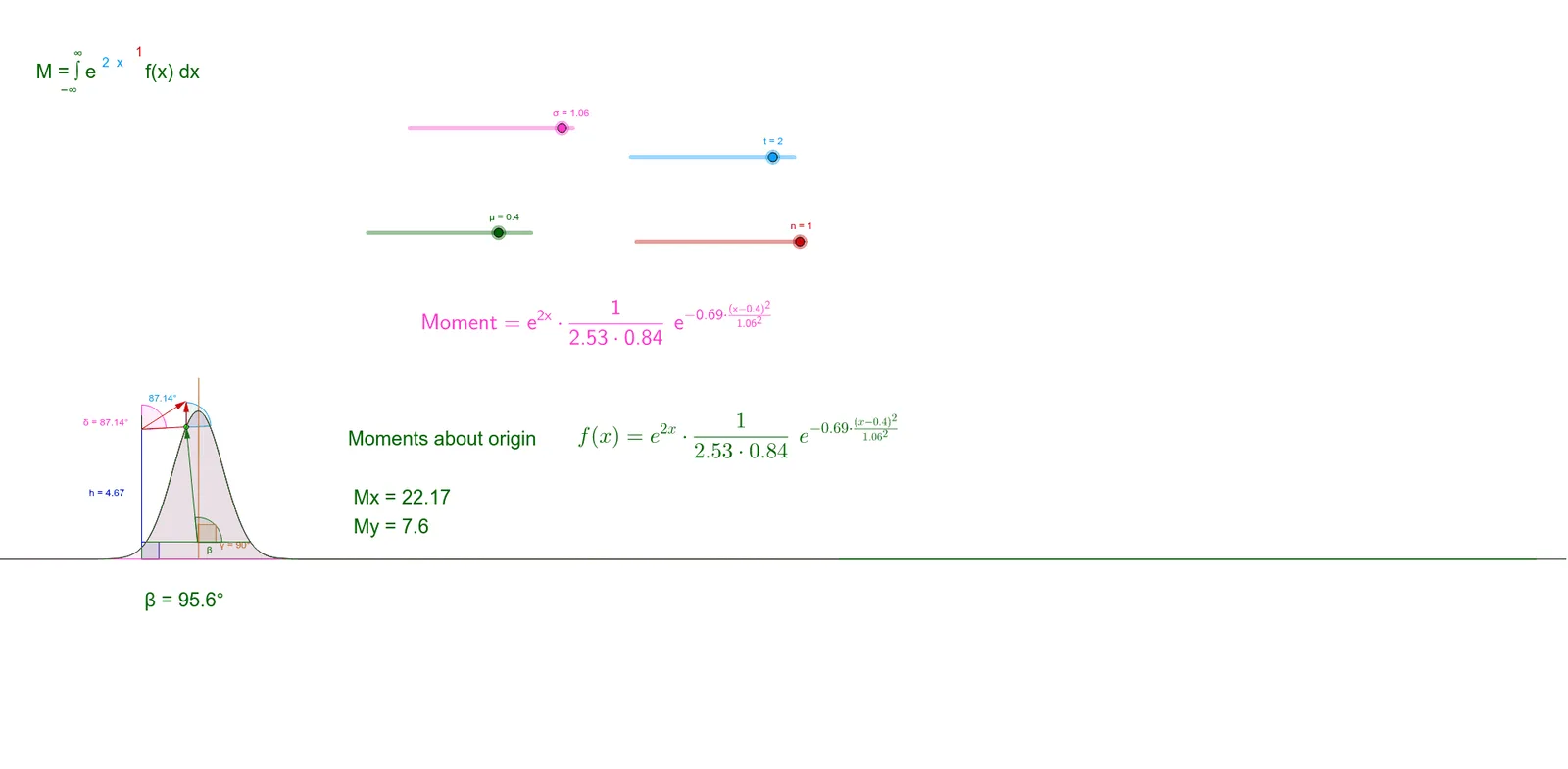
This example demonstrates how to calculate the moment. It shows the moment in action through two different equations. Commands used include Point, Vector, Translate, Segment, Angle, OrthogonalLine, Rotate, Intersect, and Integral. Suitable for high school and above students learning the concept of moment in calculus.
GeoGebra Commands & Parameters
Point(Moment) → AVector(B, C) → uTranslate(A, u) → A'Vector(D, E) → v_1Translate(A', v_1) → A''Segment(A'', A) → bSegment(A'', A') → cSegment(A, A') → dVector(F, G) → wTranslate(A, w) → A'_1Vector(A, A'_1) → mVector(A'', A'_1) → gPoint(b) → ISegment(H, I) → hSegment(H, J) → iAngle(J, H, I) → αPoint(Moment) → KPoint(Moment) → LSegment(K, L) → jPoint(Moment) → MPoint(j) → PSegment(P, M) → l_1Point(Circle[P, 7.3]) → QPoint(j) → RVector(P, A) → lPoint(l) → OSegment(P, O) → qAngle(j, q) → βOrthogonalLine(S, j) → vPoint(v) → TRotate(T, 180°, S) → T'Segment(T, T') → kAngle(j, k) → γAngle(b, h) → δIntersect(Moment, b, (1.6000000000000005, 4.748376421329871)) → UPoint(m) → VSegment(U, V) → pmAngle(b, pm) → εPoint(l) → WIntegral(f, 0, 50) → m_rIntegral(Moment, -25, 25) → m_x
AI Drawing Prompt Reference
Draw a moment about the origin. Start by creating point A and vector u, then translate A to get A'. Next, create vector v1, translate A' to get A'', and connect A'', A, and A' to form segments b, c, and d. Then, create vector w, translate A to get A'_1, and get vectors m and g. Next, create point I, line segment h, i, and angle α. Then, create points K, L, M, line segments j, l1, and points Q, R. Next, create vector l, point O, line segment q, and angle β. Then, create perpendicular line v, points T, T', line segment k, and angles γ and δ. Finally, create points U, V, line segment pm, and angle ε.
The prompt above was compiled from the original drawing commands and is for reference only.