
Dynamic Coordinates and Geometric Construction Example
Loading the math board and drawing, please wait…
In collections
Complex Math
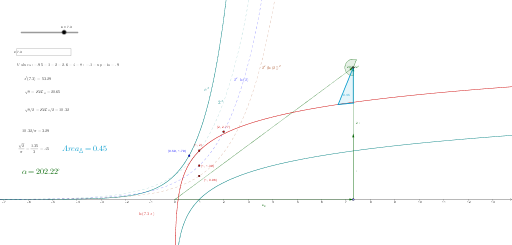
This example demonstrates how to adjust geometric properties through dynamic coordinates, showcasing coordinate transformations and geometric relationships. Key mathematical concepts include coordinate geometry, function graphing, and geometric construction. Construction involves using GeoGebra commands like DynamicCoordinates, OrthogonalLine, and Point. Suitable for high school students learning geometric transformations and function analysis.
GeoGebra Commands & Parameters
DynamicCoordinates((1.16, 0), 2, 2) → y'OrthogonalLine(A, xAxis) → bPoint(b) → FVector(F, A) → uVector((o, 0)) → a_xVector((o, 0), (o, c)) → iVector((o, 0), (o, (3 * c))) → qVector((0, 0), (o, (2 * c))) → d_hTextfield(o) → InputBox1Point(a_x) → BSegment(B, A) → tPoint(d_h) → CSegment(C, A) → o_1Segment(B, F) → mVector((o, 0), (o, (2 * c))) → pSegment(E, A) → sec_κPoint(h) → GPoint(i) → KPoint(h) → MPoint(p) → OPoint(p) → NPolygon(M, N, O) → poly1, o_2, m_1, n_1Intersect(o_2, m_1) → QPoint(p) → RSegment(Q, R) → jAngle(o_2, j) → α
AI Drawing Prompt Reference
Draw a geometric figure based on a dynamic coordinate system, including a point A and an x-axis. Adjust the position of point A using the dynamic coordinate system y', and construct points F, vectors u, a_x, i, q, and d_h. On the x-axis, construct points B, C, and F, and connect these points to form segments t, o_1, m, and sec_κ. Use vector p to construct points O, N, and M, form polygon poly1, and connect its sides to form line segment j. Finally, measure angle α.
The prompt above was compiled from the original drawing commands and is for reference only.