
Modeling Products of Mixed Numbers
Loading the math board and drawing, please wait…
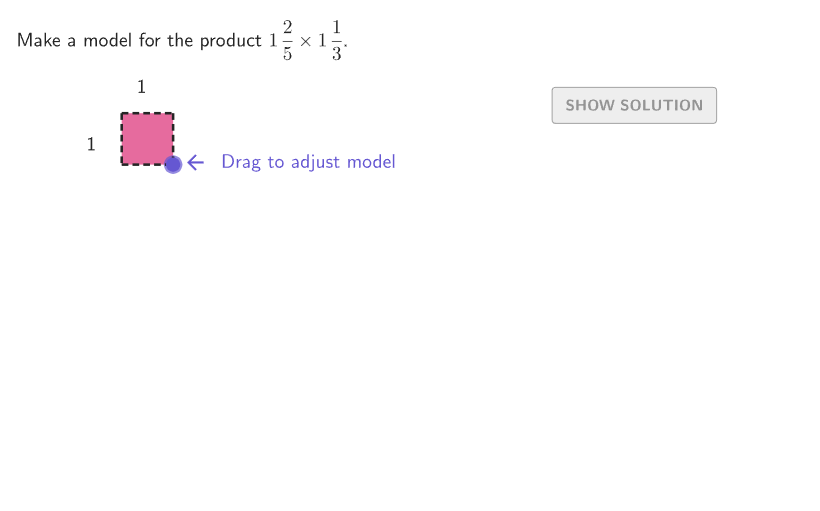
This example demonstrates how to use an area model and interactive tools to show the multiplication of mixed numbers. The key mathematical concepts include multiplying mixed numbers, combining fractions and whole numbers, and the geometric meaning of area models. Construction involves GeoGebra commands such as Shuffle, Polygon, PointIn, Denominator, If, etc., to build mixed number pairs and their products. Suitable for students in grades 4-5 to understand the visual representation and calculation process of mixed number multiplication.
GeoGebra Commands & Parameters
Shuffle({{1 / 2, 3 / 4}, {3 / 4, 1 / 2}, {1 / 2, 2 / 3}, {2 / 3, 1 / 2}, {1 / 3, 1 / 2}, {1 / 2, 1 / 3}, {1 / 4, 3 / 5}, {3 / 5, 1 / 4}, {2 / 5, 1 / 3}, {1 / 3, 2 / 5}, {2 / 3, 3 / 4}, {3 / 4, 2 / 3}, {1 / 2, 3 / 5}, {3 / 5, 1 / 2}, {2 / 5, 1 / 4}, {1 / 4, 2 / 5}}) → fracPairs, {{0.6, 0.25}, {0.6666666666666666, 0.5}, {0.6, 0.5}, {0.5, 0.75}, {0.25, 0.6}, {0.75, 0.5}, {0.6666666666666666, 0.75}, {0.4, 0.25}, {0.5, 0.6666666666666666}, {0.25, 0.4}, {0.4, 0.3333333333333333}, {0.3333333333333333, 0.5}, {0.75, 0.6666666666666666}, {0.3333333333333333, 0.4}, {0.5, 0.6}, {0.5, 0.3333333333333333}}Shuffle({{1, 2}, {2, 1}, {1, 1}, {1, 2}, {3, 1}, {2, 3}, {1, 3}, {1, 1}, {2, 1}, {2, 2}, {1, 2}, {2, 1}, {1, 3}, {3, 1}, {2, 1}, {2, 2}}) → wholePairs, {{1, 2}, {3, 1}, {2, 2}, {1, 1}, {1, 2}, {1, 3}, {1, 3}, {1, 2}, {2, 1}, {3, 1}, {1, 1}, {2, 3}, {2, 1}, {2, 1}, {2, 1}, {2, 2}}Polygon({PAnchor + (1, -1), PAnchor + (5, -1), PAnchor + (5, -5), PAnchor + (1, -5)}) → moveAreaPointIn(moveArea) → PMoveDenominator(fracB) → denomBDenominator(fracA) → denomAIf(showsolution, (numA, (-numB)), PMove) → PReferenceNumerator(fracA) → numerANumerator(fracB) → numerBRemoveUndefined(Flatten[Sequence[Sequence[If[i ≥ (wholeA * denomA) ∨ j ≥ (wholeB * denomB), (i / denomA, ((-j)) / denomB) + PAnchor], i, 0, numCols - 1], j, 0, numRows - 1]]) → startPositionsFlatten(Sequence[Sequence[(i / denomA, ((-j)) / denomB) + PAnchor2 + (((wholeA * wholeB) * (1 + spacer)), 0), i, 0, denomA - 1], j, 0, denomB - 1]) → endPositionTemplateSequence(If[A ≤ numCompositeWholes, (denomA * denomB), ((fracAB * denomA) * denomB)], A, 1, numCompositeWholes + 1) → numBlocksFlatten(Sequence[Zip[Translate[A, ((K * (spacer + 1)), 0)], A, endPositionTemplate], K, 0, Length[numBlocks] - 1]) → endPositionsWithExtrasSequence(endPositionsWithExtras(A), A, 1, Sum[numBlocks]) → allEndPositionsPolygon({PAnchor, (x(PAnchor), y(PReference)), PReference, (x(PReference), y(PAnchor))}) → studentAreaPolygon({(0, 0), (1 / denomA, 0), (1 / denomA, -1 / denomB), (0, -1 / denomB)}) → smallBoxTemplateZip(Translate[smallBoxTemplate, A], A, startPositions) → allSmallBoxesFlatten(Sequence[Sequence[(i, (-j)), i, 0, wholeA - 1], j, 0, wholeB - 1]) → startUnitPositionsPolygon({(0, 0), (1, 0), (1, -1), (0, -1)}) → unitBoxTemplateSequence(PAnchor2 + ((i * (1 + spacer)), 0), i, 0, (wholeA * wholeB) - 1) → unitEndPositionsZip(Translate[unitBoxTemplate, Vector[PAnchor, A]], A, startUnitPositions) → allUnitBoxesSequence(Segment[(x(PAnchor) + A, y(PAnchor)), (x(PAnchor) + A, y(PCorner))], A, 0, x(PCorner), 1) → gridWholeVerticalSequence(Segment[(x(PCorner) - 1 + A, y(PCorner)), (x(PCorner) + A - 1, y(PAnchor) + If[x(PMove) < 1, -1, 0])], A, 0, 1, 1 / Denominator[fracA]) → gridPartsVerticalSequence(Segment[(x(PAnchor) + If[y(PMove) < -1, 0, 1], y(PCorner)) + (0, A), (x(PCorner), y(PCorner)) + (0, A)], A, 0, 1, 1 / Denominator[fracB]) → gridPartsHorizontalZip(Translate[A, Vector[(sliderSoln * Vector[B, C])]], A, allSmallBoxes, B, startPositions, C, allEndPositions) → smallBoxesZip(Translate[A, Vector[(sliderSoln * Vector[B, C])]], A, allUnitBoxes, B, startUnitPositions, C, unitEndPositions) → unitBoxesSequence(Segment[(x(PAnchor), y(PCorner) + A), (x(PCorner), y(PCorner) + A)], A, y(PAnchor) - y(PCorner), 0, -1) → gridWholeHorizontalMidpoint(PAnchor, (x(PAnchor), y(PReference)) + (-1, 0)) → AnchorNum2Circle(SolnPoint, 0.2) → solnOutlinecirclePixels(PMove, 7 + (7 * pulsing), Corner[1], Corner[3], Corner[5]) → pulsingPoint
AI Drawing Prompt Reference
Draw an area model to demonstrate the multiplication of two mixed numbers. First, randomly select two mixed numbers, such as 1/2 and 3/4, and draw a rectangular area to represent their product. Then, inside the rectangle, draw smaller squares to represent the components of each mixed number. Finally, adjust the positions of these smaller squares based on the selected mixed numbers to show the geometric meaning of the product.
The prompt above was compiled from the original drawing commands and is for reference only.