
Mobilis in mobili symmetry (generalised)
Loading the math board and drawing, please wait…
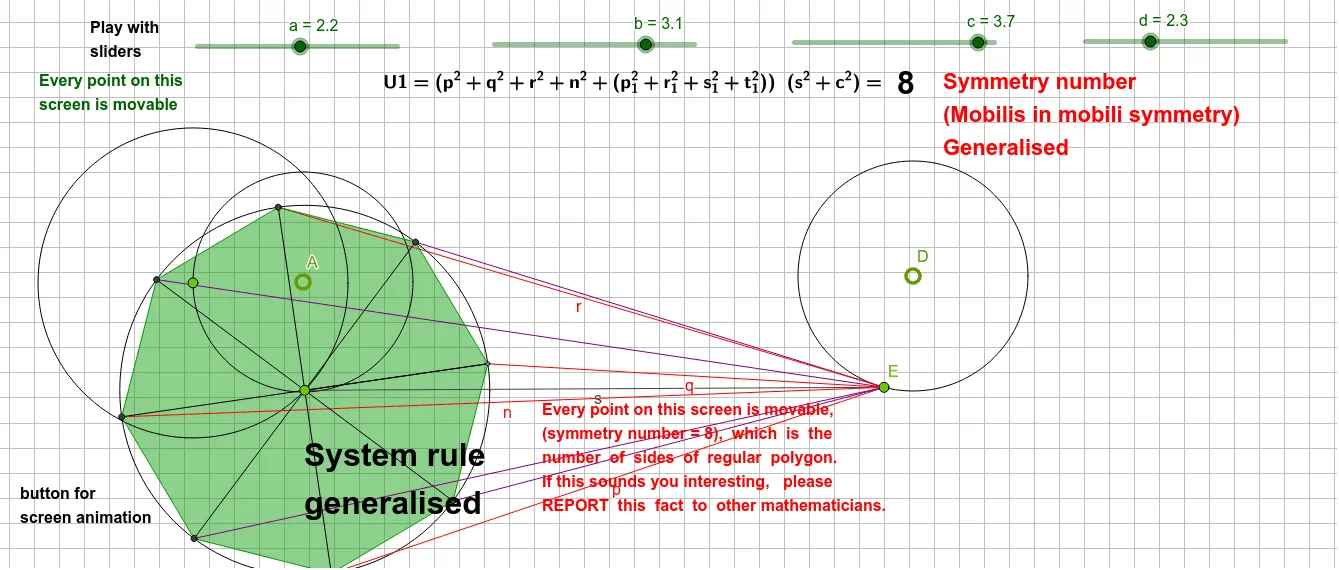
This example demonstrates the 'Mobilis in mobili' symmetry. It involves key concepts such as symmetry and geometric transformations. Using GeoGebra commands like Circle, Point, Segment, Rotate, etc., a dynamic geometric figure is constructed. Suitable for high school and above students or teachers for teaching or self-study.
GeoGebra Commands & Parameters
Circle(D, d) → hPoint(h) → ECircle(A, a) → ePoint(e) → BCircle(B, b) → fPoint(f) → CSegment(C, E) → sCircle(C, c) → gPoint(g) → GSegment(G, E) → pRotate(G, 90°, C) → G'Midpoint(G', G) → PLine(C, P) → j_1Intersect(g, j_1, 2) → QSegment(Q, E) → p_1Segment(G', E) → qLine(G', C) → kIntersect(g, k, 2) → IMidpoint(G, I) → NLine(C, N) → i_1Intersect(g, i_1, 2) → OSegment(O, E) → t_1Segment(I, E) → nLine(G, C) → iIntersect(g, i, 2) → HMidpoint(H, I) → LLine(C, L) → f_1Intersect(g, f_1, 2) → MSegment(M, E) → s_1Midpoint(G', H) → JLine(C, J) → tIntersect(g, t, 2) → KSegment(K, E) → r_1Segment(H, E) → rAngle(G, C, G') → αSegment(C, G') → jSegment(G, H) → lSegment(G', I) → mSegment(C, K) → k_1Segment(C, O) → l_1Segment(C, Q) → m_1Segment(C, M) → n_1Polygon(G, Q, G', K, H, M, I, O) → poly1, g_1, q_1, g', k_2, h_1, m_2, ı, o
AI Drawing Prompt Reference
Draw a dynamic geometric figure demonstrating 'Mobilis in mobili' symmetry. Start by creating a circle and points on it, then draw new circles centered at these points. Connect specific points to form segments, and use rotations and symmetry operations to build a complex geometric structure. Finally, connect multiple points and segments to form a polygon, highlighting the core concepts of symmetry and geometric transformations.
The prompt above was compiled from the original drawing commands and is for reference only.