
Maximum Area of a Rectangle Inscribed in a Semicircle
Loading the math board and drawing, please wait…
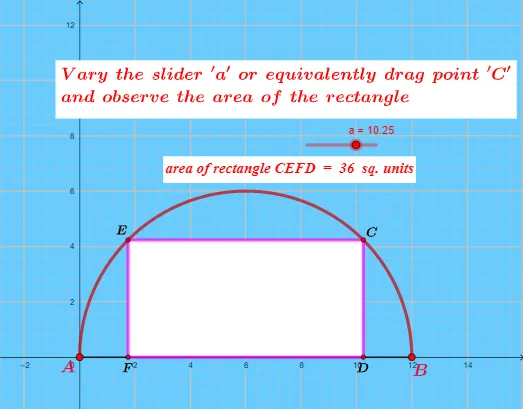
This example demonstrates how to construct a rectangle with the maximum area inscribed in a semicircle. Key mathematical concepts include optimization and coordinate geometry. Using GeoGebra commands such as Segment, OrthogonalLine, and Intersect, the position and size of the rectangle can be dynamically adjusted to observe changes in its area. Suitable for high school mathematics education and learning optimization problems.
GeoGebra Commands & Parameters
Segment(A, B) → bOrthogonalLine(C, b) → gIntersect(g, b) → DOrthogonalLine(C, g) → hIntersect(f, h, (1.75, 4.235268586524354)) → EOrthogonalLine(E, h) → iIntersect(i, b) → FPolygon(C, E, F, D) → q1, c, e, f_1, dArea(q1) → jText("area of rectangle CEFD = " + q1 + " sq. units") → text1
AI Drawing Prompt Reference
Draw a semicircle with a horizontal diameter. Inscribe a rectangle inside the semicircle such that its base lies on the diameter, with two vertices on the diameter and the other two on the arc. From the center of the semicircle, draw a perpendicular to the diameter to locate the midpoint of the rectangle's base. Then, through the intersection of this perpendicular with the arc, draw a horizontal line that meets the diameter, giving the other base vertex. Connect the four vertices to form the rectangle, and display its area. Adjust the rectangle's position to observe how the area changes, aiming for the maximum area.
The prompt above was compiled from the original drawing commands and is for reference only.