
Geocentric–Lunar System Barycenter via Geometric Construction
Loading the math board and drawing, please wait…
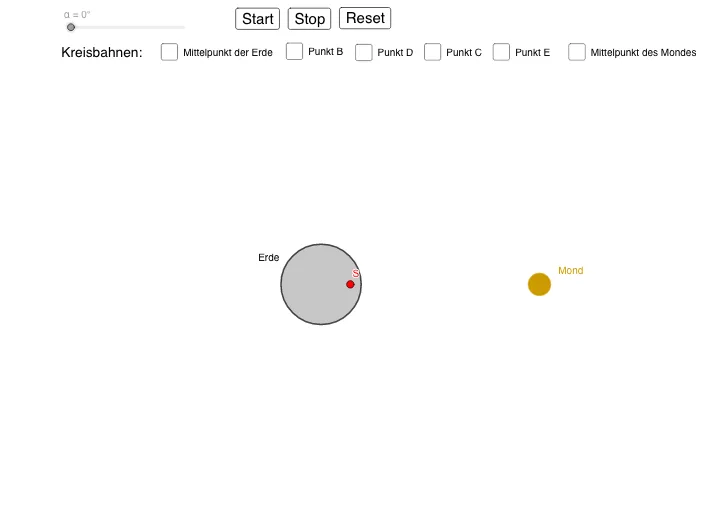
This example demonstrates the barycenter (center of mass) of the Earth–Moon two-body system in a geometric, interactive way. By introducing adjustable parameters and constructing intersection-based points, the app visualizes how the system’s center of mass location is determined and how it changes under scaling or mass/geometry settings. Key math ideas include center of mass/barycenter via geometric division (mass-ratio weighting), coordinate/analytic-geometry interpretation of positions, constraint-based point determination through intersections, and quantitative statistical indicators (distances/parameters/derived values) to report the computed results. Construction is driven by GeoGebra commands Intersect, Point, and Circle, together with objects such as M, m, R, r, Rs, S, A, d, and Moon-related quantities (e.g., MMond, rs), plus parameters/angles (e.g., α) and on-screen Text and control elements (buttons/sliders) to support the interactive investigation. Suitable for advanced high school and early university learners in geometry construction, coordinate geometry, and mathematical modeling for physics/engineering contexts.
GeoGebra Commands & Parameters
Intersect(xAxis, yAxis) → SPoint({((xss * cos(180° + α)), (xss * sin(180° + α)))}) → ACircle(A, Rs) → dPoint(d) → CPoint(d) → EPoint(d) → DPoint(d) → BPoint({((10 * cos(α)), (10 * sin(α)))}) → MMondCircle(MMond, rs) → cCircle(S, A) → eCircle((Rs / 4 + xss, 0), xss) → fCircle(((-7 * Rs / 4) + xss, 0), xss) → gCircle((0, Rs), xss) → kCircle((0, (-Rs)), xss) → pCircle((0, 0), 10) → q
AI Drawing Prompt Reference
Draw the barycenter of the Earth-Moon two-body system. Start by creating point S at the intersection of the x-axis and y-axis. Then, create point A at a specific location based on angle α and draw circle d with A as the center and Rs as the radius. Next, create points C, E, D, and B on circle d. After that, create Moon point MMond at a specific location based on angle α and draw circle c with MMond as the center and rs as the radius. Then, draw circles e with S and A as centers, and circles f, g, k, and p at specific positions. Finally, draw a circle q with a radius of 10.
The prompt above was compiled from the original drawing commands and is for reference only.