
Maximizing Volume
Loading the math board and drawing, please wait…
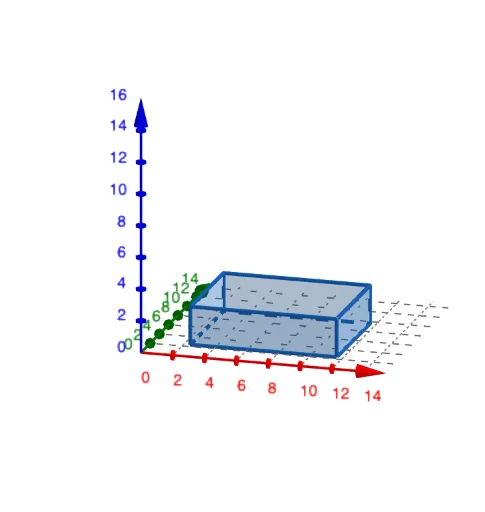
This example demonstrates how to maximize the volume of a triangular prism under a given perimeter constraint by adjusting the base length and height of the triangle. Key math concepts include volume calculation, means inequality, exponential functions, triangle properties, and equation solving. GeoGebra commands and objects used in construction are Sequence, Point, Polygon, Rotate, Prism, LaTeX, TableText, and Vector. Suitable for high school solid geometry and calculus instruction, focusing on optimization problems.
GeoGebra Commands & Parameters
Sequence((i, 0), i, x(Box1Anchor), x(Box1Anchor) + pLength / 2, 0.1) → xPointsPoint(xPoints) → XPolygon(Box1Anchor, Box1Anchor + (0, pLength), Box1Anchor + (pWidth, pLength), Box1Anchor + (pWidth, 0)) → paper, f, g, h, iPolygon(Box1Anchor, Box1Anchor + (boxWidth, 0), 4) → Box1, j, k, l, m, A, BPolygon(Box2Anchor, B2, 4) → Box2, n, p, q, r, C, DPolygon(Box3Anchor, Box3Anchor + (boxWidth, 0), 4) → Box3, s, t, a, b, E, FPolygon(Box4Anchor, Box4Anchor + (boxWidth, 0), 4) → Box4, c, d, e, f_1, G, HRotate(T1, 90°, B1, yAxis) → T1'Polygon(B1, B2, B3, B4) → pBase, b1, b2, b3, b4Prism(pBase, T1') → o, I, edge2, edge3, edge4, edge5, edge6, edge7, edge8, J, K, face1, face2, face3, face4, face5, edge1LaTeX("X") → xLblLaTeX(prismLength) → B6LaTeX(prismWidth) → B7LaTeX(prismHeight) → B8LaTeX(prismVolume) → B9LaTeX(x(X)) → B5TableText({A5:A9, B5:B9}, "hr |_") → resultsLaTeX("\cellcolor{#ffcc80}\text{\phantom{abcd}X}") → A5Vector((0, 0, 0), (14, 0, 0)) → xAxisArrowVector((0, 0, 0), (0, 12.5, 0)) → yAxisArrowLaTeX((((("\text{\textbf{Question: }" * MainInstruc) * "\\\textbf{Instructions: }") * SpecInstruc) * "}")) → allInstruc