
Matrix Addition and Scalar Multiplication
Loading the math board and drawing, please wait…
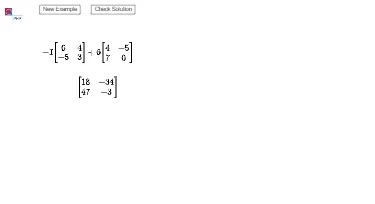
This example demonstrates the basic concepts of matrix addition and scalar multiplication. By manipulating matrix elements, it provides a visual understanding of the rules of matrix operations. It uses commands like Random and objects in GeoGebra, suitable for high school mathematics education.
GeoGebra Commands & Parameters
Random(-9, 9) → aRandom(-9, 9) → bRandom(-9, 9) → cRandom(-9, 9) → dRandom(-9, 9) → eRandom(-9, 9) → fRandom(-9, 9) → gRandom(-9, 9) → hRandom(-9, 9) → iRandom(-9, 9) → j
AI Drawing Prompt Reference
Create an educational visual illustrating matrix addition and scalar multiplication by generating random integers (within −9 to 9) to serve as the entries of two displayed matrices. Arrange the numbers in a matrix-style grid, placing each random value into its specific cell and labeling the matrix entries clearly at their positions. Include both matrices side by side so that their corresponding elements align, supporting a direct visual interpretation of how matrix operations follow the element-wise rules and how scalar multiplication affects the entries.
The prompt above was compiled from the original drawing commands and is for reference only.