
Visualizing Writing Decimals as Percentages
Loading the math board and drawing, please wait…
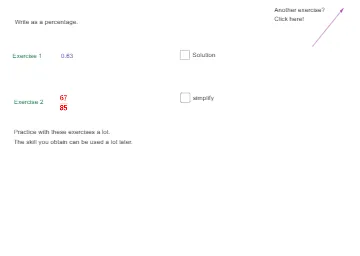
This GeoGebra example demonstrates how to convert a given decimal into an equivalent percentage by making the relationship “percentage = decimal × 100” explicit in a visual, step-by-step way. The key ideas include ratio/unit conversion, the definition of percent, and establishing an equivalence between decimal and percent representations. Construction-wise, the model uses GeoGebra commands Random and Vector to generate representative values and vector-based representations, and it relies on multiple text objects (e.g., tekst1, tekst2, …) to display the conversion reasoning. The involved construction elements include objects such as a, b, c, d, e, f, g, h (and associated labels) to connect numerical inputs to the displayed percentage form. Suitable for middle-school mathematics instruction, percentage concept building, and classroom or self-study demonstrations of fraction/decimal/percentage conversions.
GeoGebra Commands & Parameters
Random(0, 100) → aRandom(1, 100) → cRandom(1, 100) → dVector(A, B) → u
AI Drawing Prompt Reference
On a coordinate plane, generate two random numerical values: one to represent a decimal input and another to serve as related reference values. Select three labeled values for the construction (the decimal value plus two supporting reference numbers) and visually present the equivalence that percent equals decimal times 100 through clear explanatory text. Then construct a vector defined by two chosen points to represent the relationship in a geometric, vector-based way. Arrange the layout in sequence: first pick the random values to set the bases, next build the vector representation, and finally add the conversion reasoning text around the corresponding numbers.
The prompt above was compiled from the original drawing commands and is for reference only.