
Matrices as Linear Transformations
Loading the math board and drawing, please wait…
In collections
A geometric interpretation of matrices
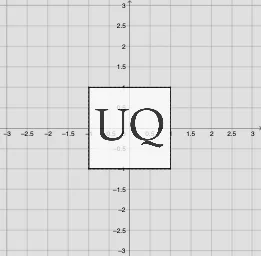
This activity demonstrates how matrices act as linear transformations on geometric figures. Key mathematical concepts include matrices, linear transformations, and geometric transformations. Using GeoGebra commands such as Element, Intersect, and ApplyMatrix, dynamic visualizations of matrix transformations are showcased. Suitable for high school mathematics education, particularly in linear algebra and geometric transformations.
GeoGebra Commands & Parameters
Element(Reflections, (2 * indexreflection)) → reflectiony2Element(Reflections, (2 * indexreflection) - 1) → reflectiony1SelectedIndex(Listnames) → IndexnamesIntersect(xAxis, yAxis) → ACircle(A, 1) → unitcircleIntersect(unitcircle, xAxis, 1) → BOrthogonalLine(B, xAxis) → fIntersect(unitcircle, yAxis, 2) → COrthogonalLine(C, yAxis) → gIntersect(unitcircle, yAxis, 1) → DIntersect(unitcircle, xAxis, 2) → EOrthogonalLine(E, xAxis) → hOrthogonalLine(D, f) → iIntersect(f, g) → FIntersect(g, h) → GIntersect(h, i) → HIntersect(f, i) → IPolygon(I, H, G, F) → poly1, i_1, h_1, g_1, f_1Point(poly1) → PElement(ListMatrix, Indexnames) → TVector((0, 0), P') → uVector(TP) → TuDeterminant(T) → detApplyMatrix(Tanimated, I) → I'ApplyMatrix(Tanimated, H) → H'ApplyMatrix(Tanimated, G) → G'ApplyMatrix(Tanimated, F) → F'Polygon(I', H', G', F') → poly1', i'_1, h'_1, g'_1, f'_1Element(ListMatrixtext, Indexnames) → TtextFlatten(T) → list1ApplyMatrix(T, I) → I'_1ApplyMatrix(T, H) → H'_1ApplyMatrix(T, G) → G'_1ApplyMatrix(T, F) → F'_1Polygon(I'_1, H'_1, G'_1, F'_1) → poly1'_1, i'_2, h'_2, g'_2, f'_2Element(list1, 1) → aElement(list1, 2) → bElement(list1, 3) → cElement(list1, 4) → dTextfield(scaling) → InputBox1Textfield(k) → InputBox2Textfield(θ) → InputBox3Textfield(m) → InputBox4ApplyMatrix(Tanimated, pic2) → pic2'ApplyMatrix(T, pic2) → pic2'_1
AI Drawing Prompt Reference
Create a coordinate plane with the x- and y-axes and let their intersection be the center of a unit circle (radius 1). Mark the key points where the circle intersects the axes, then draw lines through those points that are orthogonal to the corresponding axes and take their intersections on the circle to obtain four vertices. Connect these four vertices to form a polygon. Next, choose a 2×2 matrix representing a linear transformation and apply it to the polygon’s four vertices to get a transformed set of four points, then draw the corresponding transformed polygon alongside the original for comparison.
The prompt above was compiled from the original drawing commands and is for reference only.