
Match the Solid
Loading the math board and drawing, please wait…
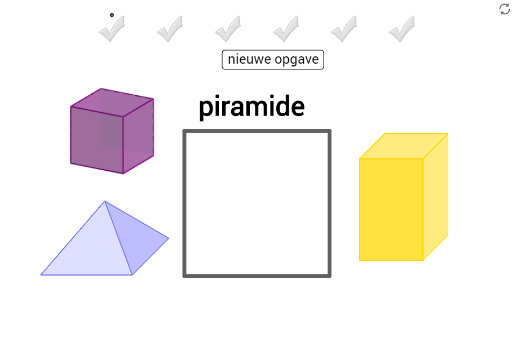
This example demonstrates matching solids by name and dragging them into the designated area. It involves core concepts of solid geometry, geometric recognition, and spatial visualization. Construction highlights include using GeoGebra commands like Midpoint, Polygon, and Vector. Suitable for middle school and above students for learning and practicing solid geometry.
GeoGebra Commands & Parameters
Midpoint(K, Corner[Bild18, 3]) → MMidpoint(I, Corner[Bild17, 3]) → QMidpoint(G, Corner[Bild16, 3]) → OPolygon(A, B, 4) → poly1, f, g, h, i, C, DMidpoint(H_4, Corner[Bild14, 3]) → B_5Midpoint(Z_3, Corner[Bild10, 3]) → V_4Midpoint(R_2, Corner[Bild2, 3]) → Z_4Midpoint(J_4, Corner[Bild15, 3]) → S_4Midpoint(F_3, Corner[Bild8, 3]) → U_4Midpoint(V_2, Corner[Bild4, 3]) → Q_4Midpoint(F_4, Corner[Bild13, 3]) → T_4Midpoint(H_3, Corner[Bild9, 3]) → R_4Vector(J_2, K_2) → uMidpoint(L_2, Corner[Bild1, 3]) → EMidpoint(L_2, Corner[Bild1, 3]) → FMidpoint(B_4, Corner[Bild11, 3]) → A_1Midpoint(D_3, Corner[Bild7, 3]) → Q_1Midpoint(Z_2, Corner[Bild5, 3]) → B_1Midpoint(B_3, Corner[Bild6, 3]) → S_1Midpoint(D_4, Corner[Bild12, 3]) → ZMidpoint(T_2, Corner[Bild3, 3]) → R_1Midpoint(T_2, Corner[Bild3, 3]) → L_4
AI Drawing Prompt Reference
Draw a geometric figure composed of multiple polygons and vectors, first determining several key points as midpoints, then connecting these points to form several quadrilaterals, and connecting specific points with vectors, finally combining these shapes to demonstrate the construction process of solid geometry.
The prompt above was compiled from the original drawing commands and is for reference only.