
Making a Rectangular Prism by Scaling a Cube
Loading the math board and drawing, please wait…
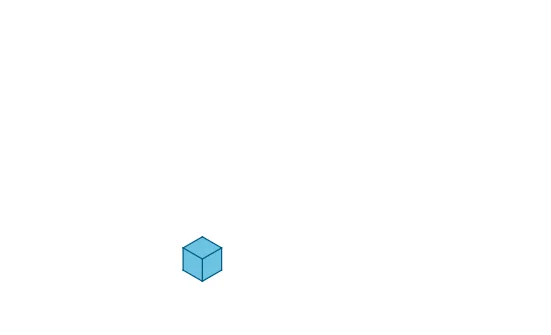
This example demonstrates how to create a rectangular prism by scaling a cube. Key mathematical concepts include geometric transformations and solid geometry. It uses commands such as Dilate (scaling), Polygon (polygon), Vector (vector), Sequence (sequence), and Translate (translation). Suitable for middle school and above students to learn solid geometry and geometric transformations.
GeoGebra Commands & Parameters
Dilate(E, a, A) → E'_1Dilate(F, a, D) → F'_1Dilate(G, a, C) → G'_1Dilate(A, b, D) → A'_1Dilate(E'_1, b, F'_1) → E''_1Dilate(B, b, C) → B'_1Dilate(F'_1, c, G'_1) → F''_1Dilate(D, a, B) → D'_1Dilate(E'_1, c, D'_1) → E''Dilate(E'', b, F''_1) → E'''Dilate(A'_1, c, B'_1) → A''_1Dilate(D, c, C) → D'_2Polygon(C, G'_1, F''_1, D'_2) → poly1, ur, vr, uc, vc2Polygon(C, D'_2, A''_1, B'_1) → poly2, vc, wc2, vl, wlPolygon(A''_1, D'_2, F''_1, E''') → poly3, wc, uc2, wr, ul2Polygon(B, A, D, C) → poly4, b_1, a_1, d_3, c_3Polygon(C, D, F, G) → poly5, c_4, d_1, f_2, g_1Polygon(D, F, E, A) → poly6, d_2, f_1, e_1, a_2Vector(C, D) → uSequence(Segment[Translate[C, Vector[(j * u)]], Translate[G'_1, Vector[(j * u)]]], j, 1, c - 1) → list1Sequence(Segment[Translate[B'_1, Vector[(j * u)]], Translate[C, Vector[(j * u)]]], j, 1, c - 1) → list2Vector(C, G) → vVector(C, B) → wSequence(Segment[Translate[C, Vector[(j * v)]], Translate[D'_2, Vector[(j * v)]]], j, 1, a - 1) → list3Sequence(Segment[Translate[C, Vector[(j * w)]], Translate[D'_2, Vector[(j * w)]]], j, 1, b - 1) → list4Sequence(Segment[Translate[F''_1, Vector[(j * w)]], Translate[D'_2, Vector[(j * w)]]], j, 1, b - 1) → list5Sequence(Segment[Translate[D'_2, Vector[(j * v)]], Translate[A''_1, Vector[(j * v)]]], j, 1, a - 1) → list6Dilate(G, (a * d), C) → G'Dilate(F, (a * d), D) → F'Dilate(F', (c * f), G') → F''Dilate(D, (c * f), C) → D'Dilate(B, (b * e), C) → B'Dilate(A, (b * e), D) → A'Dilate(A', (c * f), B') → A''Vector(D', F'') → zTranslate(A'', z) → A'''Polygon(D', C, G', F'') → poly7, d'_3, ur2, vr2, f_4Polygon(D', C, B', A'') → poly8, d_6, wl2, vl2, a_4Polygon(A'', D', F'', A''') → poly9, a''_3, d'_5, wr2, ulSequence(Segment[Translate[C, Vector[((j * c) * u)]], Translate[G', Vector[((j * c) * u)]]], j, 1, f) → list7Sequence(Segment[Translate[C, Vector[((j * c) * u)]], Translate[B', Vector[((j * c) * u)]]], j, 1, f) → list8Sequence(Segment[Translate[D', Vector[((j * a) * v)]], Translate[C, Vector[((j * a) * v)]]], j, 1, d) → list9Sequence(Segment[Translate[D', Vector[((j * b) * w)]], Translate[C, Vector[((j * b) * w)]]], j, 1, e) → list10Sequence(Segment[Translate[A'', Vector[((j * a) * v)]], Translate[D', Vector[((j * a) * v)]]], j, 1, d) → list11Sequence(Segment[Translate[F'', Vector[((j * b) * w)]], Translate[D', Vector[((j * b) * w)]]], j, 1, e) → list12
AI Drawing Prompt Reference
Draw a rectangular prism solid figure. Start with a cube and scale it in three different directions (length, width, and height) to expand it into a rectangular prism. Draw the six rectangular faces of the prism: front, back, left, right, top, and bottom. Mark vectors indicating three mutually perpendicular edge directions. Draw several parallel line segments along each edge of the prism to create a grid texture, enhancing the three-dimensional effect. The overall result is a hollow rectangular prism framework with grid lines.
The prompt above was compiled from the original drawing commands and is for reference only.