
Play with Parallelograms: Geometry Transformations and Vectors
Loading the math board and drawing, please wait…
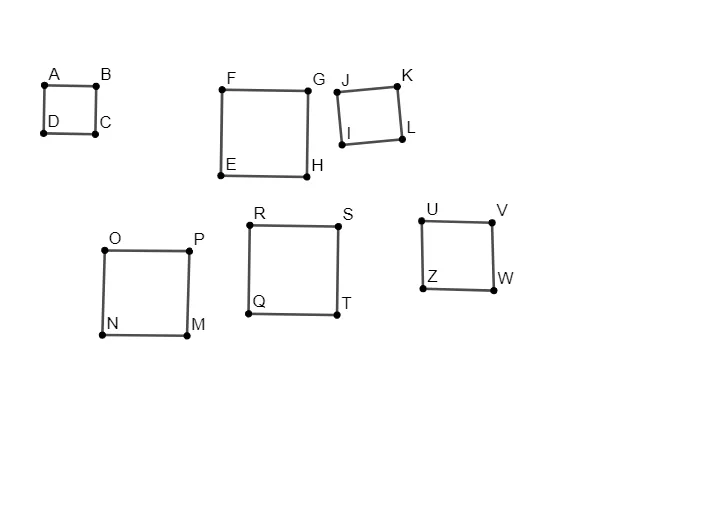
① This interactive example demonstrates the construction of parallelograms and how their properties behave under geometric transformations such as rotation, reflection, and translation. ② Core mathematical concepts include the definition and properties of parallelograms, vector operations, geometric transformations (rotation, mirror, translation), and basic relations like midpoints and perpendicular lines. ③ Construction highlights: Using GeoGebra commands such as Segment, Midpoint, Circle, OrthogonalLine, Point, Line, Intersect, Rotate, Mirror, Vector, and Translate, the construction involves numerous objects (points A, C, B, D, E, F, G, H, O, M, P, Q, R, S, T, etc.) and lines (f, g, h, d, i, j, k, l, m, n, p, q, r, s, t) plus circles, creating a rich exploratory environment. ④ Suitable for middle and high school students learning plane geometry, vectors, and transformations, as well as for teachers demonstrating in class or students exploring independently to visualize invariance and vector representation of parallelograms.
GeoGebra Commands & Parameters
Segment(A, C) → fMidpoint(f) → C_{1}Circle(C_{1}, A) → cSegment(F, H) → gMidpoint(g) → F_{1}OrthogonalLine(F_{1}, g) → hCircle(F_{1}, F) → dSegment(O, M) → iMidpoint(i) → I_{1}OrthogonalLine(I_{1}, i) → jPoint(j) → PCircle(I_{1}, P) → ePoint(c) → DLine(D, C_{1}) → kIntersect(d, h, 2) → GIntersect(d, h, 1) → EIntersect(e, j, 2) → NSegment(R, S) → lRotate(R, 90°, S) → TRotate(S, 90°, T) → QSegment(S, T) → mSegment(T, Q) → nSegment(Q, R) → pSegment(O, N) → qSegment(N, M) → rSegment(M, P) → sSegment(P, O) → tSegment(A, D) → aSegment(D, C) → bIntersect(c, k, 2) → BSegment(C, B) → f_1Segment(B, A) → g_1Segment(F, E) → h_1Segment(E, H) → i_1Segment(H, G) → j_1Segment(G, F) → k_1Segment(J, L) → l_1Midpoint(l_1) → T_{1}Mirror(I, T_{1}) → KSegment(J, I) → m_1Segment(I, L) → n_1Segment(L, K) → p_1Segment(K, J) → q_1Vector(V_{1}, W_{1}) → uTranslate(U, u) → VSegment(U, V) → r_1Line(Z, r_1) → s_1Point(s_1) → WSegment(Z, U) → t_1Segment(V, W) → a_1Segment(Z, W) → b_1
AI Drawing Prompt Reference
Draw a parallelogram with labeled vertices and sides, incorporating a slider to control vectors. Demonstrate geometric transformations like rotation, reflection, and translation to show how the parallelogram's properties change. Include midpoints, perpendicular lines, circles, and intersection points. Represent the sides as vectors and illustrate vector operations and the effects of geometric transformations.
The prompt above was compiled from the original drawing commands and is for reference only.