
Loupe IV Example
Loading the math board and drawing, please wait…
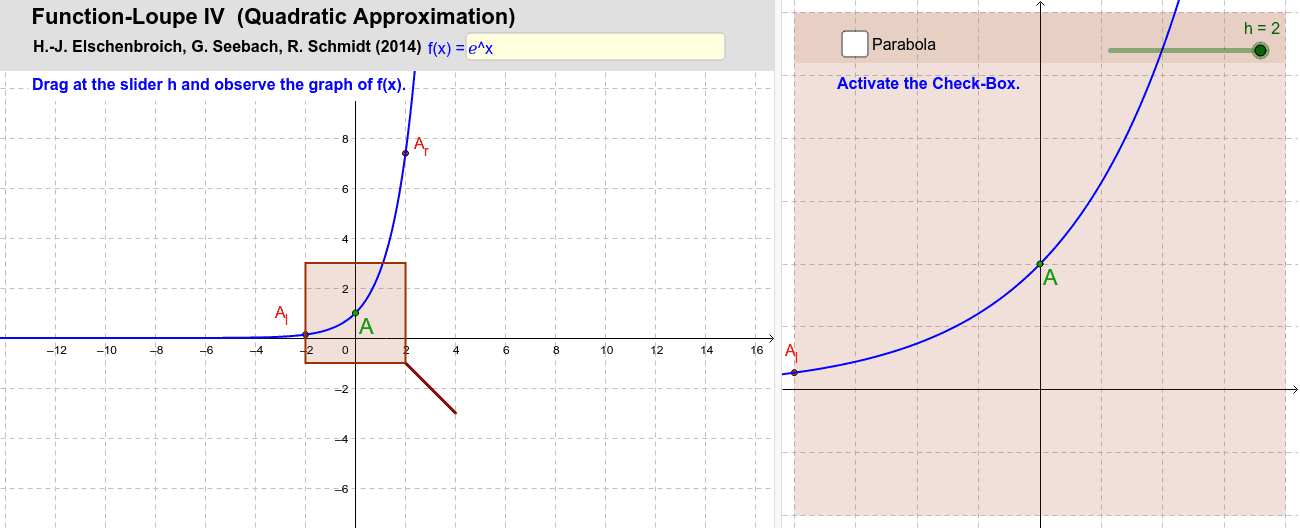
This example demonstrates the construction of Loupe IV. Core mathematical concepts include triangles, unit circle, and indefinite integral. Using GeoGebra commands such as Textfield, Point, Polygon, etc., complex geometric shapes can be constructed. Suitable for high school math education and learning.
GeoGebra Commands & Parameters
Textfield(f) → Textfeld1Point(f) → APolygon(A + ((-h), (-h)), A + (h, (-h)), A + (h, h), A + ((-h), h)) → Lupe, i, j, l, qMidpoint(A_l, Al) → BMidpoint(A, Ar) → CSegment(A + (h, (-h)), A + (2 * (h, (-h)))) → griff1Segment(A + (min, (-min)), A + (2 * (min, (-min)))) → griff2If(h > min, griff1, griff2) → griffPolygon(F, G, D, E) → Vieleck4, f_2, g_2, d_2, e_2Polynomial({A_l, A, A_r}) → p
AI Drawing Prompt Reference
Draw a magnifying glass with a square lens centered at a point on a curve. The lens corners are offset from the center by equal horizontal and vertical distances. Inside the lens, show a parabolic arc passing through the center point and its left and right neighbors, representing the local function shape. Below the lens, attach a handle made of two parallel line segments angled at 45 degrees to the lens edge, with length chosen based on the lens size. Include a unit circle in the background for reference and a few auxiliary points for positioning.
The prompt above was compiled from the original drawing commands and is for reference only.