
Loss & Profit Calculation: Interactive Model
Loading the math board and drawing, please wait…
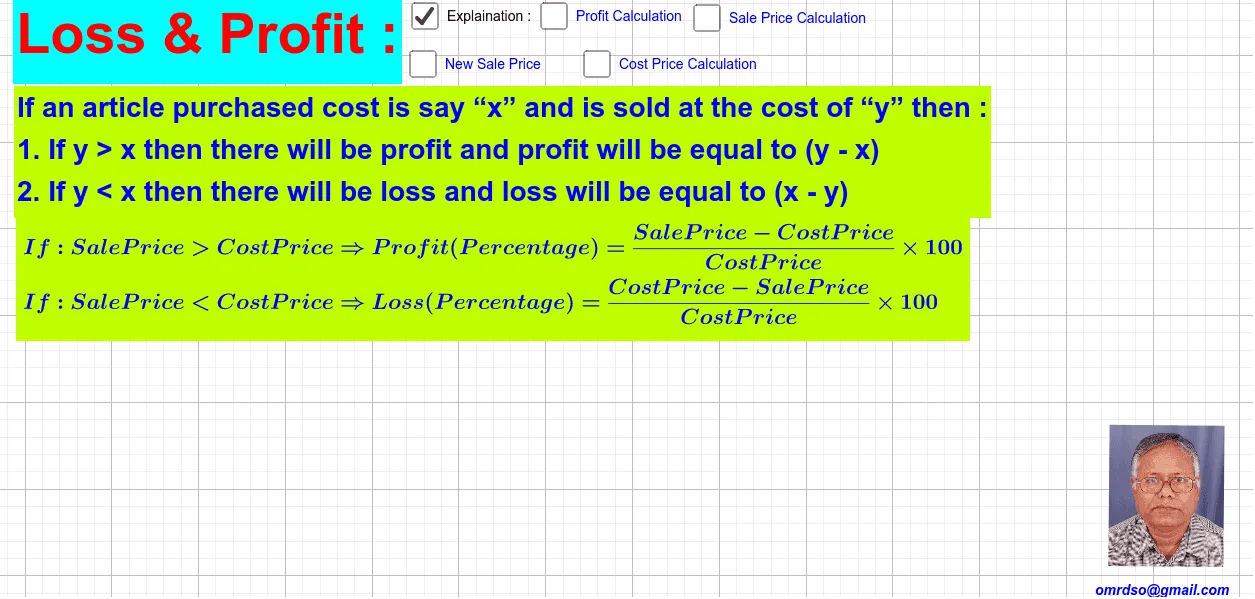
① This GeoGebra example demonstrates the relationship between cost, selling price, profit, and loss in a business transaction, with dynamic text and visual aids. ② Core math concepts include arithmetic operations, algebraic expressions, proportional reasoning, and simple logical conditions (profit vs. loss). It also touches on quadratic equations and trigonometry, possibly for auxiliary displays. ③ Construction highlights: numerous text objects (text1, text3, text4, etc.) display values and formulas; variables (a, b, c, cp, sp, p, lp, pp) represent cost, price, profit, etc.; sliders or input boxes allow parameter changes; GeoGebra's algebraic engine updates results in real time; a picture (pic1) and points (A, B) enhance visualization. ④ Suitable for middle school to high school students learning applied arithmetic, introductory algebra, or business math, and for teachers to demonstrate dynamic profit/loss scenarios, helping students grasp profit rate calculations and break-even points.
GeoGebra Commands & Parameters
Boolean a(false)Boolean b(false)Boolean c(false)Numeric cp(200.0)Numeric sp(240.0)((sp - cp) * cp / 100)Numeric sp2(318.0)Numeric pp_1(17.0)(100 / (100 + pp_1) * sp2)Numeric cp2(300.0)Numeric pr(35.0)Numeric lp(20.0)Numeric pp(50.0)Numeric sp3(200.0)Boolean d(false)Boolean e(true)Point A(14.968, -5.769523809523818)Point B(17.618476190476194, -5.792571428571428)
AI Drawing Prompt Reference
Draw a graph showing the relationship between cost and selling price. Start with a cost of 200 and a selling price of 240 to calculate the profit, then change the selling price to 318 and calculate the new cost price as 293.2. Next, calculate the profit margin as 35% when the selling price is 200. Finally, show a loss of 20% when the cost is 300 and the selling price is 350, and a profit of 50% when the selling price is 200. Use sliders to adjust parameters and dynamically display profit or loss.
The prompt above was compiled from the original drawing commands and is for reference only.