
Linear Equation Generator
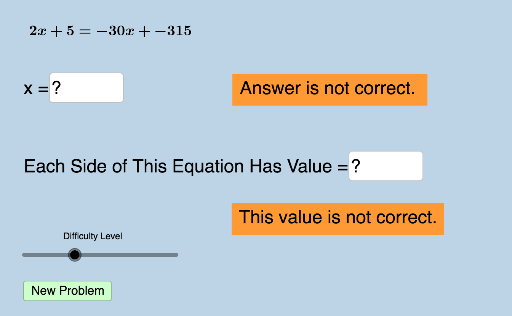
Loading the math board and drawing, please wait…
This example demonstrates how to generate and solve linear equations with four difficulty levels. Core math concepts include solving linear equations and difficulty levels. Construction highlights: utilizes GeoGebra commands Union, RandomElement, Sequence, Random, Textfield; objects include list1, list2, list3, a, listright, listleft, liste, text1, text2, text4, text5, b, w, e, c, d, f, text6, text7, button1, g, m, n, o, text8, h, p, q, r, text9, i, ans1, ans2, ans3, ans4, InputBox1, varx, InputBox6, InputBox2, InputBox3. Suitable for middle school students and above for learning and practicing linear equation solving, ideal for classroom teaching or self-study.
GeoGebra Commands & Parameters
Union(list1, list2) → list3RandomElement(list3) → aSequence(i, i, a + 1, 35, 1) → listrightSequence(i, i, -35, a - 1, 1) → listleftUnion(listleft, listright) → listeRandomElement(list3) → bRandom(-30, 30) → wRandomElement(liste) → eRandomElement(liste) → mRandomElement(list3) → nRandomElement(list3) → pRandomElement(list3) → qTextfield(ans1) → InputBox1Textfield(varx) → InputBox6Textfield(ans2) → InputBox2Textfield(ans3) → InputBox3Textfield(ans4) → InputBox4Sequence(i, i, -35, 35, 0.5) → list5
AI Drawing Prompt Reference
Create a graph with four different levels of linear equations. First, randomly select four linear equations, then generate points on the x-axis with x-coordinates ranging from -35 to 35, with a step of 0.5. Next, randomly choose two of these points to be the slopes and intercepts of two linear equations. Users need to input the x-value and calculate and display the corresponding y-value.
The prompt above was compiled from the original drawing commands and is for reference only.