
Level Curves
Loading the math board and drawing, please wait…
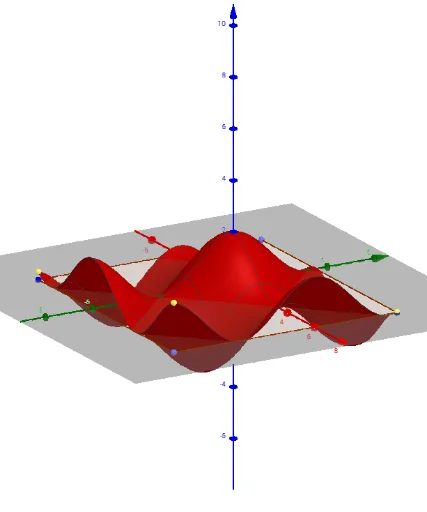
This example demonstrates how to draw and manipulate level curves, showcasing the horizontal cross-sections of a function at different heights; core math concepts include functions, coordinate geometry, trigonometric functions, and geometric transformations; construction highlights involve commands/objects like Line, Point, Midpoint, Mirror, Polygon, Function, Textfield, IntersectPath, ImplicitCurve, Max, Min, Sequence, Derivative; suitable for high school and above students to explore the properties of function graphs and their geometric applications.
GeoGebra Commands & Parameters
Line(A, xAxis) → r_1Line(A, yAxis) → r_2Point(r_1) → BPoint(r_2) → DMidpoint(D, B) → MMirror(A, M) → CPolygon(A, B, C, D) → Polígon1, a, b, c, dFunction(f(s, t), s, x(A), x(B), t, y(A), y(D)) → gTextfield(f) → CampEntradaSortida1Point(zAxis) → PIntersectPath(h, f) → iImplicitCurve(f(x, y) - f_{(x,y)}) → jMax(l1) → mxMin(l1) → mnSequence(ImplicitCurve[f(x, y) - s], s, -5, 5, k) → llista1Point(j) → EDerivative(f, x) → f_xDerivative(f, y) → f_y