
Cutting a Cone
Loading the math board and drawing, please wait…
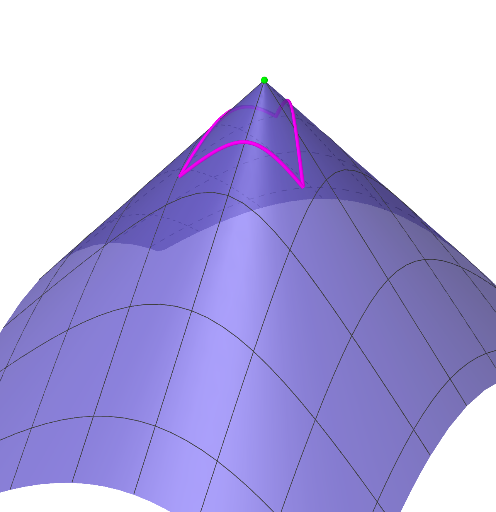
This example demonstrates the cross-section of a cone. It involves concepts such as cones, parametric curves, and solid geometry. Using GeoGebra commands like Point, Polygon, InequacióRecta, Translate, and CurveCartesian, the cross-section of a cone can be constructed. Suitable for high school mathematics education and learning.
GeoGebra Commands & Parameters
Point(zAxis) → APolygon(B, C, D) → tri1, d, b_1, c_1InequacióRecta(B, C) → eInequacióRecta(C, D) → fInequacióRecta(D, B) → gTranslate(B, Vector[(0, 0, -12)]) → B'Translate(C, Vector[(0, 0, -12)]) → C'Translate(D, Vector[(0, 0, -12)]) → D'Polygon(B', C', D') → tri1', d', b', c'Segmentparamètric(B, C) → mSegmentparamètric(C, D) → nSegmentparamètric(D, B) → oCurveCartesian(x(m(t)), y(m(t)), c(x(m(t)), y(m(t))), t, 0, 1) → pCurveCartesian(x(n(t)), y(n(t)), c(x(n(t)), y(n(t))), t, 0, 1) → qCurveCartesian(x(o(t)), y(o(t)), c(x(o(t)), y(o(t))), t, 0, 1) → rPrism(tri1', -20) → l, E, arestaD'G, arestaEF, arestaFG, arestaEG, F, G, caraB'C'FE, caraC'D'GF, caraB'D'GE, caraEFG, arestaB'E, arestaC'FSurface((k * m(t)) + ((1 - k) * D), k, 0, 1, t, 0, 1) → sSurface(x(s(u, v)), y(s(u, v)), c(x(s(u, v)), y(s(u, v))), u, 0, 1, v, 0, 1) → t
AI Drawing Prompt Reference
Draw the cross-section of a cone to demonstrate its shape. Start by creating a triangle and connect its vertices with line segments. Translate the triangle along the negative Z-axis to form a new triangle. Then, use parametric equations to draw curves connecting the corresponding vertices. Finally, generate a prism from the translated triangle and create a surface using parametric equations to visualize the cone's 3D form.
The prompt above was compiled from the original drawing commands and is for reference only.