
Learning Reflection
Loading the math board and drawing, please wait…
In collections
Transformations and triangle congruence
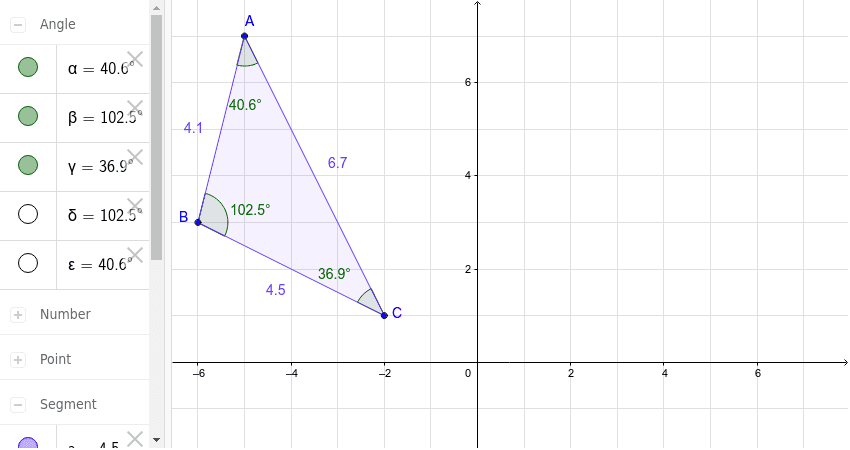
This example demonstrates how to perform reflection using GeoGebra. Key mathematical concepts include reflection transformation and geometric construction. Using commands like Polygon, Intersect, Segment, Angle, Distance, and Point, the reflection can be constructed. Suitable for middle school and above students or teachers.
GeoGebra Commands & Parameters
Polygon(A, B, C) → poly1, c, a, bIntersect(xAxis, yAxis) → D_1Segment(E, D) → dSegment(E, H) → eSegment(D, H) → fAngle(B, A, C) → αAngle(C, B, A) → βAngle(A, C, B) → γDistance(b, c) → gDistance(d, a) → hAngle(H, E, D) → δAngle(E, D, H) → εPoint(e) → E_1Point(f) → G
AI Drawing Prompt Reference
Draw a triangle ABC, then reflect it at the intersection point D of the x-axis and y-axis. Construct line segments DE using point E and D, EH using E and H, and DH using D and H. Measure the angles BAC, BCA, and CAB, as well as the lengths of line segments BC and AB. Finally, find the intersection points E1 and G of line segments EH and DE.
The prompt above was compiled from the original drawing commands and is for reference only.