
Draw a Ray
Loading the math board and drawing, please wait…
In collections
Transformations and triangle congruence
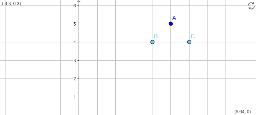
This example demonstrates how to draw a ray using GeoGebra. A ray is a fundamental concept in geometry, being a part of a line with one endpoint and extending infinitely in one direction. By selecting two points A and B, and using GeoGebra's construction commands, a ray AB can be easily drawn. Suitable for students at the junior high school level and above for geometric construction.
GeoGebra Commands & Parameters
Point A(5, 5)Point B(4, 4)Point C(6, 4)
AI Drawing Prompt Reference
Draw a ray starting at point (5,5) and passing through point (4,4), extending infinitely to the right and upwards to illustrate the concept and basic construction of a ray.
The prompt above was compiled from the original drawing commands and is for reference only.