
Lattice Multiplication Demo
Loading the math board and drawing, please wait…
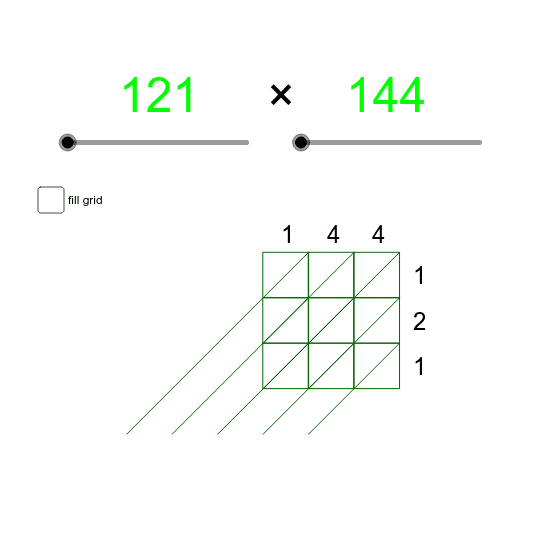
This example demonstrates the lattice method for multiplication, involving grid construction and digit placement. Key math concepts include arithmetic operations and geometric visualization. GeoGebra commands like Sequence and Segment are used to create the lattice structure, with objects such as n, m, C4, D3, H19. Suitable for middle school students learning multiplication algorithms or visualizing math concepts.
GeoGebra Commands & Parameters
Sequence(Sequence[(xcoord, ycoord), ycoord, 0, nd - 1, 1], xcoord, 0, md - 1, 1) → pointsSequence(Sequence[Polygon[Element[Element[points, xcoord], ycoord], Element[Element[points, xcoord], ycoord] + (1, 0), 4], ycoord, 1, nd, 1], xcoord, 1, md, 1) → BoxesSequence(Sequence[Segment[Element[Element[points, xcoord], ycoord] - (1, 1), Element[Element[points, xcoord], ycoord] + (1, 1)], ycoord, 1, nd, 1], xcoord, 1, md, 1) → diagonalsSegment((-1, 0), (-2, -1)) → aSegment((-1, 1), (-3, -1)) → bSegment((-1, 2), (-4, -1)) → c
AI Drawing Prompt Reference
Draw a lattice multiplication example with a grid of small squares, each representing a part of the multiplication. Start by drawing the horizontal and vertical lines to form the grid, then use these lines to create the small squares, and finally draw the diagonals to help understand the multiplication process.
The prompt above was compiled from the original drawing commands and is for reference only.