
Adjustable Multiplication Rectangle
Loading the math board and drawing, please wait…
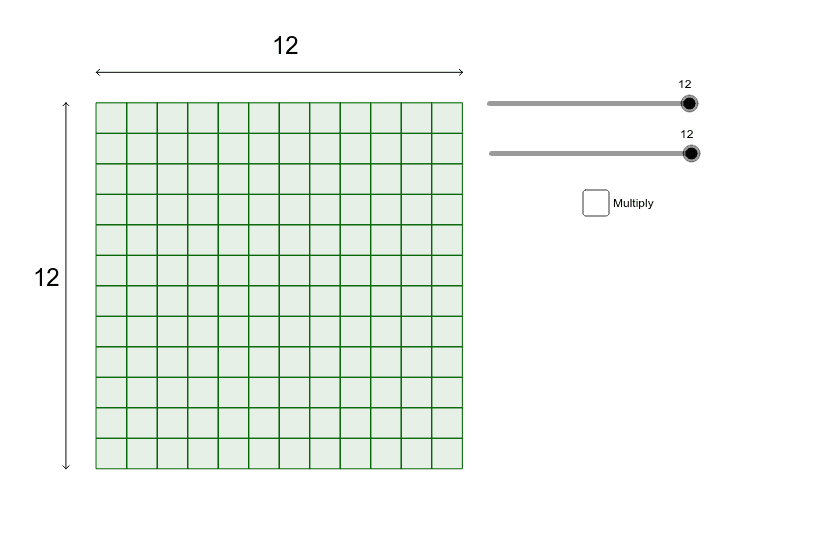
This example demonstrates a rectangle that can be resized using sliders to illustrate the geometric interpretation of multiplication. It involves core mathematical concepts such as multiplication, rectangle, dilation, rational numbers, means, fractal geometry, and circle. The construction uses GeoGebra commands/objects like Sequence, Point, Segment, and Midpoint. Suitable for middle school students and above to explore geometric transformations, multiplication principles, and the connection between mathematics and shapes.
GeoGebra Commands & Parameters
Sequence((x(A) + i, 0), i, 1, a, 1) → list1Sequence(Polygon[Element[list1, i], Element[list1, i] + (1, 0), Element[list1, i] + (1, 1), Element[list1, i] + (0, 1)], i, 1, a, 1) → list2Sequence(Translate[list2, (0, i)], i, 0, b - 1, 1) → list3Point(xAxis) → BPoint(Circle[B, b]) → CSegment(B, C) → cPoint(Circle[D, abs(a)]) → ESegment(D, E) → dSegment(F, C) → eSegment(G, C) → fSegment(B, H) → hSegment(B, I) → iMidpoint(c) → JMidpoint(d) → KSegment(D, L) → gSegment(D, M) → jSegment(E, N) → kSegment(E, O) → l
AI Drawing Prompt Reference
Draw an adjustable rectangle with sliders to control its length and width, illustrating the geometric interpretation of multiplication. Stack multiple small rectangles inside to represent the product, add diagonals and midpoints as辅助 lines, and include a circle related to the rectangle, showcasing the connection between geometric transformations and multiplication principles.
The prompt above was compiled from the original drawing commands and is for reference only.