
LA CAIXA Logo
Loading the math board and drawing, please wait…
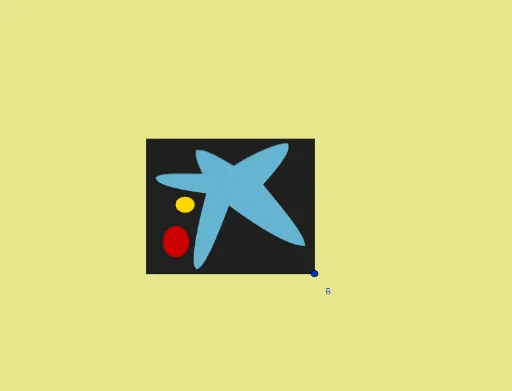
This example demonstrates how to use GeoGebra to draw the LA CAIXA logo. Key mathematical concepts include ellipses, triangles, and symmetry. Using commands such as Line, OrthogonalLine, Vector, LineBisector, Intersect, Polygon, Mirror, CurveCartesian, and Ellipse, the geometric shape of the logo is constructed. Suitable for high school mathematics education and learning.
GeoGebra Commands & Parameters
Line(A, B) → sOrthogonalLine(A, s) → bVector(A, B) → uOrthogonalVector(u) → vOrthogonalLine(F, b) → fOrthogonalLine(A_1, b) → rLineBisector(A, B) → mIntersect(m, f) → EOrthogonalLine(B, u, xOyPlane) → gIntersect(g, r) → CPolygon(A_1, C, B, A) → q1, a_1, c, b_1, a_2LineBisector(A_1, A) → hMirror(f, h) → f'OrthogonalLine(D, s) → iMirror(i, m) → i'Intersect(h, b) → GIntersect(i, f') → JMirror(J, m) → J'Mirror(J, h) → J'_1Mirror(J', h) → J''Line(N, O) → jCurveCartesian(((1 - t)^(3) * S) + (((3 * t) * (1 - t)^(2)) * Z) + (((3 * (1 - t)) * t^(2)) * T) + (t^(3) * M), t, 0, 1) → aCurveCartesian(((1 - t)^(3) * M) + (((3 * t) * (1 - t)^(2)) * U) + (((3 * (1 - t)) * t^(2)) * W) + (t^(3) * O), t, 0, 1) → dCurveCartesian(((1 - t)^(3) * O) + (((3 * t) * (1 - t)^(2)) * B_1) + (((3 * (1 - t)) * t^(2)) * V) + (t^(3) * K), t, 0, 1) → eCurveCartesian(((1 - t)^(3) * P) + (((3 * t) * (1 - t)^(2)) * D_1) + (((3 * (1 - t)) * t^(2)) * C_1) + (t^(3) * K), t, 0, 1) → kCurveCartesian(((1 - t)^(3) * L) + (((3 * t) * (1 - t)^(2)) * E_1) + (((3 * (1 - t)) * t^(2)) * F_1) + (t^(3) * S), t, 0, 1) → lCurveCartesian(((1 - t)^(3) * L) + (((3 * t) * (1 - t)^(2)) * G_1) + (((3 * (1 - t)) * t^(2)) * H_1) + (t^(3) * R), t, 0, 1) → nCurveCartesian(((1 - t)^(3) * H) + (((3 * t) * (1 - t)^(2)) * J_1) + (((3 * (1 - t)) * t^(2)) * K_1) + (t^(3) * R), t, 0, 1) → pCurveCartesian(((1 - t)^(3) * H) + (((3 * t) * (1 - t)^(2)) * I_1) + (((3 * (1 - t)) * t^(2)) * L_1) + (t^(3) * Q), t, 0, 1) → qCurveCartesian(((1 - t)^(3) * Q) + (((3 * t) * (1 - t)^(2)) * M_1) + (((3 * (1 - t)) * t^(2)) * N_1) + (t^(3) * N), t, 0, 1) → tCurveCartesian(((1 - t)^(3) * N) + (((3 * t) * (1 - t)^(2)) * P_1) + (((3 * (1 - t)) * t^(2)) * O_1) + (t^(3) * P), t, 0, 1) → wEllipse(R_1, S_1, T_1) → c_1Ellipse(Z_1, W_1, V_1) → d_1Polygon(P, O, K) → t1, k_1, p_1, o_1Polygon(O, S, M) → t2, m_1, o_2, s_1Polygon(S, L, R) → t3, r_1, s_2, l_1Polygon(R, H, Q) → t4, q_1, r_2, h_1Polygon(Q, P, N) → t5, n_1, q_2, p_2Polygon(R, S, O, P, Q) → poly1, r_3, s_3, o_3, p_3, q_3
AI Drawing Prompt Reference
Draw the LA CAIXA logo by first creating two ellipses, then constructing triangles and polygons using points and lines, and using symmetry and angle bisectors to create other parts. Finally, use curves and polygons to complete the logo's details.
The prompt above was compiled from the original drawing commands and is for reference only.