
Triangle Area Calculation by Tim Brzezinski
Loading the math board and drawing, please wait…
In collections
Area of a Triangle: Intuitive Discovery
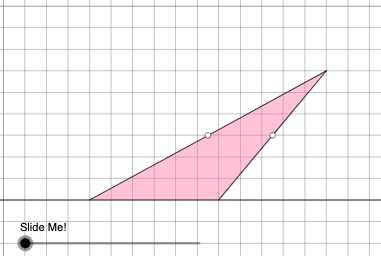
This example demonstrates how to calculate the area of a triangle using coordinates. It involves core concepts like coordinate geometry, vectors, and the triangle area formula. GeoGebra commands such as Point, PointIn, Polygon, OrthogonalLine, Intersect, Midpoint, Dilate, Segment, Rotate, Angle, If, Vector, and Translate are used in the construction. Suitable for high school mathematics teaching and geometric construction learning.
GeoGebra Commands & Parameters
Point(Ray[A, A + (1, 0)]) → BPointIn(d) → CPolygon(A, B, C) → t1, f, a, bOrthogonalLine(C, g) → hIntersect(g, h) → C_{1}Midpoint(C, C_{1}) → DMidpoint(b) → EMidpoint(a) → GDilate(C, If[0 < c ≤ 1, 1 - c, 0], D) → F'Segment(C, F') → iDilate(D, If[1 < c ≤ 2, 2 - c, 0], C_{1}) → D'Segment(D, D') → jRotate(C, If[2 < c ≤ 3, ((c - 2) * pi), pi], D) → F'_{1}Rotate(F', If[2 < c ≤ 3, ((c - 2) * pi), pi], D) → F''Segment(F'_{1}, F'') → i'Dilate(E, If[0 < c ≤ 2, (0.5 * (2 - c)), 0], D) → E'Segment(E, E') → kDilate(G, If[0 < c ≤ 2, (0.5 * (2 - c)), 0], D) → G'Segment(G, G') → lAngle(C, B, A) → βAngle(B, A, C) → γPolygon(A, B, G, E) → q1, a_1, b_1, g_1, ePolygon(G, C, E) → t2, e_1, g_2, f_1Rotate(G, If[4 < c ≤ 5, ((c - 4) * pi), pi], E) → G'_{1}Rotate(C, If[4 < c ≤ 5, ((c - 4) * pi), pi], E) → F'_{2}Rotate(E, If[4 < c ≤ 5, ((c - 4) * pi), pi], E) → E'_{1}Polygon(G'_{1}, F'_{2}, E'_{1}) → t2', e'_{1}, g'_{1}, f'_{2}Segment(A, E) → mSegment(B, G) → nSegment(G, C) → pSegment(C, E) → qSegment(F'_{2}, E) → rSegment(E, G'_{1}) → sSegment(G'_{1}, F'_{2}) → tSegment(G, C) → h_1Segment(C, E) → i_1If(β ≟ pi / 2, 5, 8) → oOrthogonalLine(B, p_1) → j_1Intersect(p_1, j_1) → HOrthogonalLine(G, g) → k_1Intersect(k_1, g) → IDilate(G, If[5 < c ≤ 6, 6 - c, 0], I) → G'_{2}Segment(G, G'_{2}) → l_1Polygon(A, I, G, G'_{1}) → q2, a_2, i_2, g_3, m_1Polygon(I, B, G) → t3, g_4, i_3, b_2Dilate(G, If[7 < c ≤ 8, 8 - c, 0], G'_{1}) → G'_{3}Vector(G, G'_{3}) → uTranslate(I, u) → I'Translate(B, u) → B'Translate(G, u) → G'_{4}Polygon(I', B', G'_{4}) → t3', g'_{4}, n_1, b'Segment(G'_{3}, I') → q_1Segment(G'_{3}, B') → r_1Dilate(B, If[5 < c ≤ 6, 6 - c, 0], H) → H'Polygon(A, B, H, G'_{1}) → q3, a_3, b_3, h_2, t_1Polygon(B, H, G) → t4, g_5, b_4, h_3Translate(B, u) → B'_{1}Translate(H, u) → H'_{1}Translate(G, u) → G'_{5}Polygon(B'_{1}, H'_{1}, G'_{5}) → t4', g'_{5}, b'_{1}, h'_{1}Segment(B'_{1}, G'_{3}) → c_1Segment(B'_{1}, H'_{1}) → d_1Segment(B, H') → s_1
AI Drawing Prompt Reference
Draw a triangle ABC. Start by drawing a ray from point A through point B, then pick a point C on this ray. Construct the area of triangle ABC using midlines, parallel lines, and rotations to create auxiliary segments and points, and finally calculate the area of the triangle.
The prompt above was compiled from the original drawing commands and is for reference only.