
Joining Pyramids
Loading the math board and drawing, please wait…
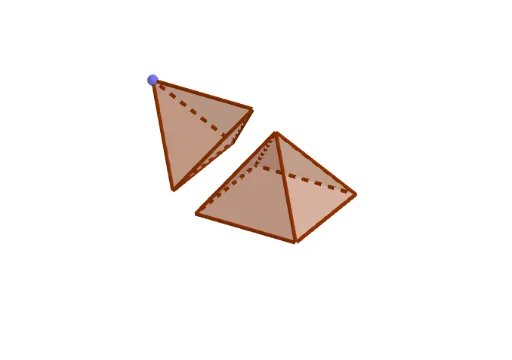
This example demonstrates how to join two pyramids using GeoGebra. It involves concepts such as pyramids, angles, and vectors. Commands like Intersect, Polygon, Midpoint, and OrthogonalLine are used to construct and connect the pyramids. Suitable for high school or university-level solid geometry.
GeoGebra Commands & Parameters
Intersect(xAxis, zAxis) → APoint(xAxis) → BPolygon(A, B, 4, xOyPlane) → poly1, f, g, h, i, C, DMidpoint(A, C) → EOrthogonalLine(E, xOyPlane) → jSphere(B, A) → aIntersect(j, a) → F, GPyramid(poly1, G) → b, faceABG, faceBCG, faceCDG, faceADG_1, edgeAG_1, edgeBG, edgeCG, edgeDG_1AngularBisector(edgeDG_1, i) → k, lAngularBisector(edgeAG_1, i) → m, nIntersect(k, m) → HPlane(D, A, G) → cOrthogonalLine(H, c) → pPoint(p) → ITetrahedron(A, G, D) → d, L, edgeDL, edgeGL, faceADG, faceADL, faceAGL, faceDGL, edgeAD, edgeAG, edgeDG, edgeALSegment(L, H) → rIntersect(edgeAL, r) → JPoint(p) → KRay(J, K) → qPoint(q) → MVector(J, M) → uTranslate(d, u) → d'Plane(A, G, B) → eLength(u) → sPolygon(A, M, G, B) → q1, a_1, m_1, g_1, b_1Polygon(O, N, M, G) → q2, o, n_1, m_2, g_2