
Intuitive Introduction to Volume by Tim Brzezinski
Loading the math board and drawing, please wait…
In collections
GeoGebra 3D & AR: Geometry Resources & Challenges
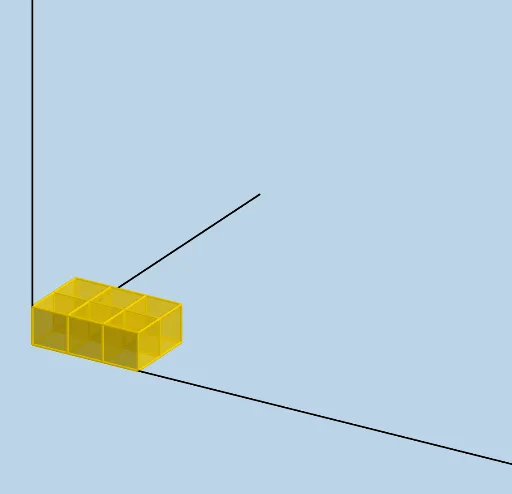
This example demonstrates the calculation and visualization of rectangular prism volume. Core math concepts include volume formulas, sequences, functions, percentages, and the Pythagorean theorem. GeoGebra commands used are Sequence, Ray, LENGTH, WIDTH, HEIGHT, etc. Suitable for middle school and above students learning solid geometry and function applications.
GeoGebra Commands & Parameters
Sequence(Cube[(i, 0, 0), (i + 1, 0, 0), Point[Circle[(i + 1, 0, 0), Distance[(i, 0, 0), (i + 1, 0, 0)], Segment[(i, 0, 0), (i + 1, 0, 0)]]]], i, 0, LENGTH - 1, 1) → L_1Sequence(Cube[(1, i, 0), (1, i + 1, 0), Point[Circle[(1, i + 1, 0), Distance[(1, i, 0), (1, i + 1, 0)], Segment[(1, i, 0), (1, i + 1, 0)]]]], i, 1, WIDTH - 1, 1) → L_2Sequence(Sequence[Translate[Element[L_1, i], Vector[(0, j)]], j, 1, WIDTH - 1, 1], i, 2, LENGTH, 1) → L_4Sequence(Translate[L_4, Vector[(0, 0, i)]], i, 1, HEIGHT - 1, 1) → L_5Sequence(Translate[L_1, Vector[(0, 0, i)]], i, 1, HEIGHT - 1, 1) → L_6Sequence(Translate[L_2, Vector[(0, 0, i)]], i, 1, HEIGHT - 1, 1) → L_7Ray((0, 0, 0), (1, 0, 0)) → fRay((0, 0, 0), (0, 1, 0)) → gRay((0, 0, 0), (0, 0, 1)) → h