
Introduction to Reflection and Bilateral Symmetry (GeoGebra Applet)
Loading the math board and drawing, please wait…
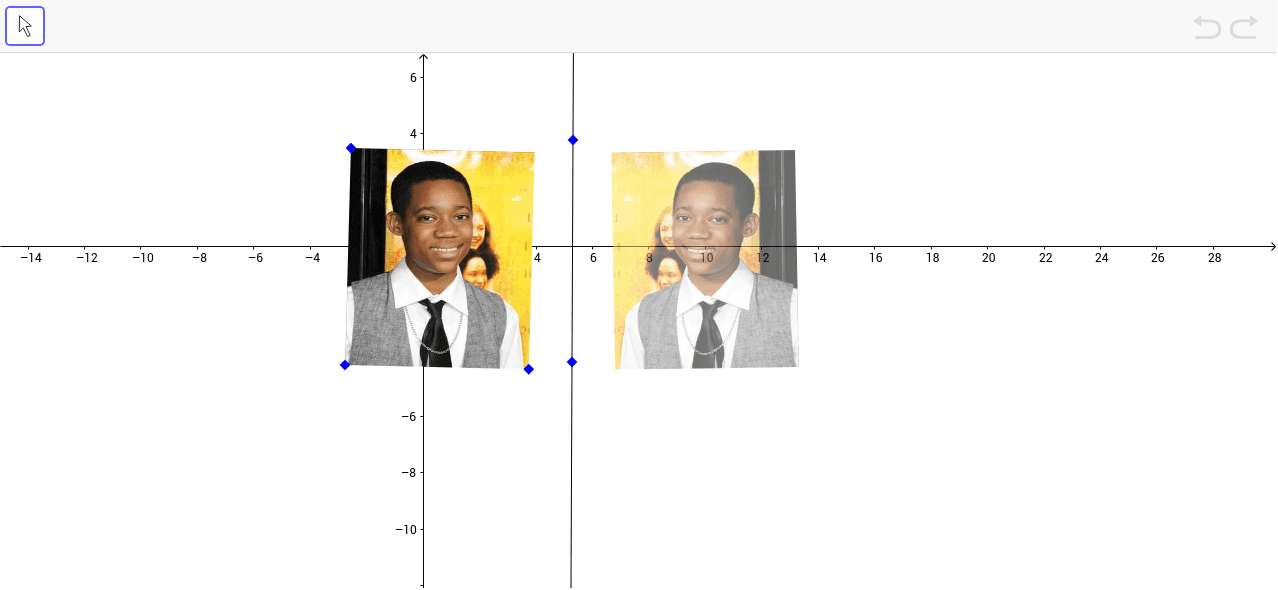
This GeoGebra applet introduces geometric reflection across a line and the related concept of bilateral symmetry. Core mathematical concepts include axial symmetry, mirror reflection, congruence, the axis of symmetry, and point-to-point correspondence between pre-image and image. Construction highlights: the example uses the GeoGebra Line command to define the mirror axis a and the Mirror command to reflect objects such as pic1 and points A, B, C, D, E across that axis, generating symmetric images. Learners can observe that each point and its image are equidistant from the line of reflection and that the original figure and its reflection are congruent. Suitable for middle school geometry lessons on transformations, as well as high school review or classroom demonstrations of symmetry and isometric mappings.
GeoGebra Commands & Parameters
Line(D, E) → aMirror(pic1, a) → pic1'
AI Drawing Prompt Reference
Draw a line as the axis of symmetry, then create a polygon and reflect it across the axis to form a symmetric image, demonstrating the symmetry of the original and reflected shapes and the equal distances from each point to its image from the axis of symmetry.
The prompt above was compiled from the original drawing commands and is for reference only.