
Triangle Area and Perimeter Demonstration
Loading the math board and drawing, please wait…
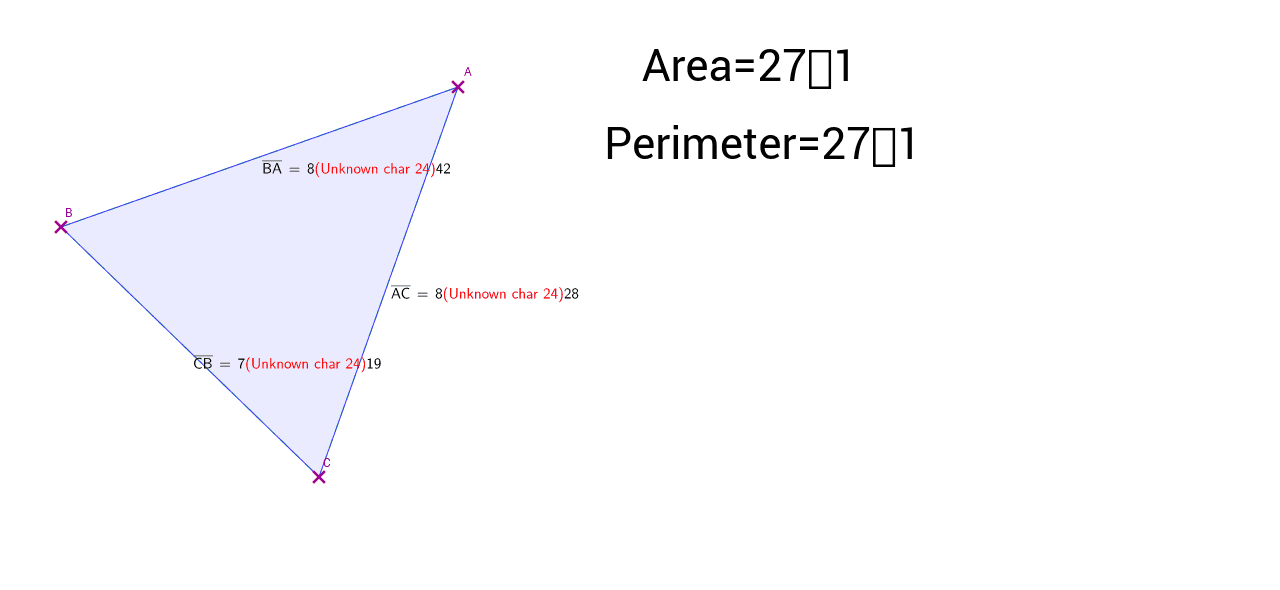
This example demonstrates the relationship between the area and perimeter of triangles by dynamically adjusting side lengths. Key mathematical concepts include area formulas, side length calculations, and geometric transformations. Construction involves using GeoGebra commands like Segment, Polygon, and Distance to create triangles and calculate distances. Suitable for middle school or high school students to understand geometric concepts and mathematical modeling.
GeoGebra Commands & Parameters
Segment(A, C) → a_1Segment(B, C) → b_1Segment(B, A) → c_1Polygon(A, B, C) → poly1_1, c_2, a_2, b_2Distance(B, A) → distanceBADistance(A, C) → distanceACDistance(C, B) → distanceCB
AI Drawing Prompt Reference
Draw a triangle with adjustable side lengths using sliders. Display the three sides of the triangle, and calculate and show its perimeter and area based on the side lengths. Update the perimeter and area dynamically as the side lengths change, illustrating the relationship between side lengths, perimeter, and area.
The prompt above was compiled from the original drawing commands and is for reference only.