
Introduction to Exponent Notation (Powers)
Loading the math board and drawing, please wait…
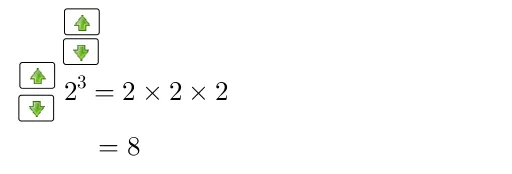
This interactive GeoGebra example demonstrates the meaning of exponent notation (powers), allowing learners to explore how the base and exponent determine the value of a power. The core mathematical concepts include exponentiation, expanded form of powers, and exponential growth or decay. Construction highlights: the Sequence command generates a sequence of powers, Sum computes cumulative sums, and multiple buttons (button1 to button4) control different display modes or parameters. Text objects (text1, text2, text3) show the exponential expression and numerical results, while variables n, a, b and sliders adjust the base and exponent range. Suitable for middle school and above, this example serves as a visual aid for teachers and students to connect abstract exponent symbols with concrete values and graphs (such as bar charts, hyperbolas, and pie charts), enhancing conceptual understanding.
GeoGebra Commands & Parameters
Sequence(a, i, 1, n, 1) → listSum(Zip["" + (p) + "" + (If[m ≟ Length[list], "", " × "]) + "", p, list, m, Sequence[Length[list]]]) → text1