
Natural Number Set Recognition with Random Quiz System
Loading the math board and drawing, please wait…
In collections
Ⓔ Zahlenmengen
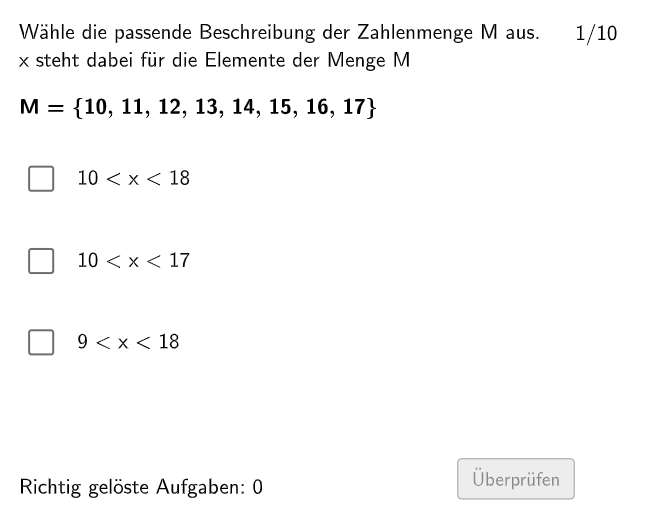
This GeoGebra example demonstrates an interactive natural number practice system using commands Shuffle, Sequence, Element, and IndexOf for random question generation and answer shuffling. It employs Point, Polygon, and Midpoint commands to create geometric figures for visual assistance, Textfield components for displaying questions and options, and If conditions for correct/incorrect feedback. Core mathematical concepts include natural number recognition, multiplication operations, variance basics, hyperbola function graphs, and interest calculation applications. Suitable for primary and secondary mathematics classrooms, teachers can adjust parameters for differentiated instruction, and students can practice to consolidate number set concepts and computational skills. Construction: random number generation → question bank building → option shuffling → geometric visualization → conditional feedback.
GeoGebra Commands & Parameters
Shuffle(Sequence[Random[1, 3], i, 1, 100]) → randomNosPositionAnswerCorrect, {1, 3, 1, 3, 3, 2, 3, 1, 1, 2, 1, 2, 1, 3, 3, 2, 1, 2, 2, 1, 1, 1, 3, 3, 3, 2, 2, 1, 2, 3, 1, 1, 3, 3, 2, 1, 1, 1, 1, 2, 1, 2, 2, 3, 3, 2, 3, 3, 2, 3, 1, 1, 1, 3, 1, 1, 1, 2, 2, 2, 3, 1, 3, 2, 1, 3, 1, 3, 2, 2, 3, 2, 2, 1, 1, 2, 1, 2, 3, 3, 3, 2, 1, 1, 3, 1, 1, 1, 3, 3, 1, 2, 3, 1, 1, 3, 2, 3, 1, 3}Sequence(RandomElement[Remove[Sequence[3], {randomNosPositionAnswerCorrect(i)}]], i, 1, 100) → randomNosPositionAnswerWrong1, {2, 2, 2, 1, 1, 3, 2, 3, 2, 1, 3, 3, 3, 1, 1, 1, 2, 1, 1, 2, 2, 3, 1, 1, 1, 1, 3, 3, 1, 1, 2, 2, 1, 1, 1, 3, 3, 2, 2, 3, 3, 1, 1, 1, 2, 1, 2, 1, 3, 1, 2, 3, 2, 1, 3, 3, 3, 3, 3, 3, 1, 3, 2, 1, 3, 2, 2, 1, 3, 3, 1, 3, 1, 3, 2, 3, 3, 3, 2, 1, 1, 1, 2, 2, 1, 2, 2, 2, 2, 2, 3, 1, 2, 3, 2, 1, 1, 2, 2, 2}Element(randomNosPositionAnswerWrong1, Mod[questionCount, 100] + 1) → numPositionAnswerWrong1Sequence(RandomElement[Remove[Remove[Sequence[3], {randomNosPositionAnswerCorrect(i)}], {randomNosPositionAnswerWrong1(i)}]], i, 1, 100) → randomNosPositionAnswerWrong2, {3, 1, 3, 2, 2, 1, 1, 2, 3, 3, 2, 1, 2, 2, 2, 3, 3, 3, 3, 3, 3, 2, 2, 2, 2, 3, 1, 2, 3, 2, 3, 3, 2, 2, 3, 2, 2, 3, 3, 1, 2, 3, 3, 2, 1, 3, 1, 2, 1, 2, 3, 2, 3, 2, 2, 2, 2, 1, 1, 1, 2, 2, 1, 3, 2, 1, 3, 2, 1, 1, 2, 1, 3, 2, 3, 1, 2, 1, 1, 2, 2, 3, 3, 3, 2, 3, 3, 3, 1, 1, 2, 3, 1, 2, 3, 2, 3, 1, 3, 1}Element(randomNosPositionAnswerWrong2, Mod[questionCount, 100] + 1) → numPositionAnswerWrong2Element(randomNosPositionAnswerCorrect, Mod[questionCount, 100] + 1) → numPositionAnswerCorrectShuffle({1, 2, 3, 4, 5, 6, 7, 8, 9, 10}) → NosCase, {3, 10, 9, 4, 8, 7, 6, 1, 5, 2}IndexOf(true, checkboxes) → SelectedCheckboxPoint(Line[F11, Vector[(0, 0), (0, -1.2)]]) → F21Textfield(aInput) → InputBox1Textfield(bInput) → InputBox2Polygon(PtopLeftCornerFeedback, PtopRightCornerFeedback, PbottomRightCornerFeedback, PbottomLeftCornerFeedback) → rectangleCorrect, ptopleftcornerfeedback, ptoprightcornerfeedback, pbottomrightcornerfeedback, pbottomleftcornerfeedbackShuffle(Sequence[Random[1, 15], i, 1, 100]) → randomNosCase, {3, 1, 11, 9, 10, 8, 14, 10, 9, 1, 3, 10, 5, 6, 3, 3, 12, 8, 7, 3, 12, 7, 11, 5, 13, 5, 9, 2, 11, 1, 15, 15, 15, 4, 3, 4, 9, 9, 12, 12, 10, 7, 7, 1, 9, 2, 7, 6, 6, 15, 6, 3, 15, 10, 8, 8, 12, 13, 6, 8, 4, 8, 3, 7, 11, 4, 6, 3, 9, 10, 8, 3, 12, 10, 14, 5, 4, 3, 14, 5, 5, 15, 8, 9, 8, 8, 15, 4, 10, 7, 10, 15, 10, 5, 7, 14, 4, 3, 14, 12}Midpoint(PbottomLeftCornerFeedback, PbottomRightCornerFeedback) → PbottomMiddleIf(numPositionAnswerCorrect ≟ 1, true, false) → c1If(numPositionAnswerCorrect ≟ 2, true, false) → c2If(numPositionAnswerCorrect ≟ 3, true, false) → c3Polygon(F11, (x(F13), y(F11)), F13, (x(F11), y(F13))) → q1, f11, j, f13, kPolygon(F21, (x(F23), y(F21)), F23, (x(F21), y(F23))) → q2, f21, l, f23, mPolygon(F31, (x(F31), y(F33)), F33, (x(F33), y(F31))) → q3, n, p, q, r
AI Drawing Prompt Reference
Build a geometric quiz feedback layout on a coordinate plane: first create a rectangular “correct feedback” frame by connecting four corner points, then mark the midpoint of the bottom edge as a visual anchor. Next draw three quadrilateral regions using endpoints on vertical reference segments: one region is formed from a base vertical line’s two points together with corresponding opposite points, and the other two regions are constructed similarly using another lower vertical reference line and its paired points. Finally, reserve two input areas labeled for variables a and b, and include a text area to display the chosen answer and whether it is correct.
The prompt above was compiled from the original drawing commands and is for reference only.