
Sifting Grains: Visual Prime vs Composite Identification
Loading the math board and drawing, please wait…
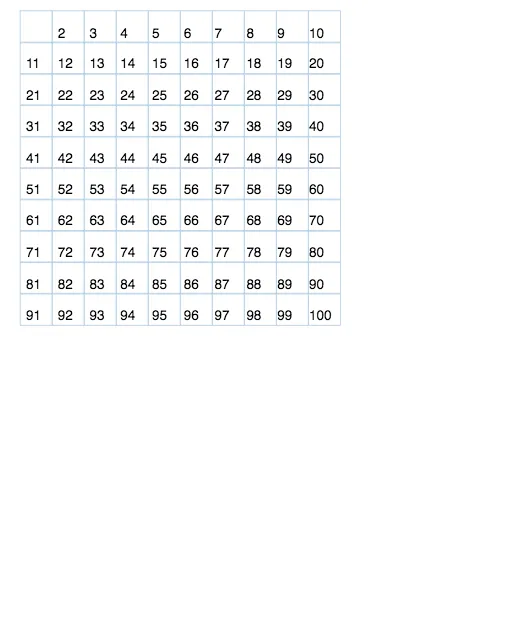
This example demonstrates a sieve-style learning activity where integers are filtered and visually labeled so that prime and composite numbers become distinguishable on a coordinate plane. It centers on key number theory ideas: the definitions of primes and composites, divisibility relations, and the intuition behind the “sifting” process, supported by scatter-plot style visualization and simple statistical counting. Construction-wise, it leverages GeoGebra commands reflected in the build summary: Sequence to generate candidate integer lists, Unique to remove duplicates and keep essential values, Intersect to determine critical intersections for the geometric/visual structure, Vector (and related geometric points) to place elements in the plane, Element to fetch items from lists, and Sum to aggregate counts/indicators. Textfield/Text objects provide dynamic labeling of the current value and status, while multiple list objects (e.g., list1, list2, list3, list4, list6, list9, list10, list11) organize prime/composite groups. Buttons (start/next and controls) and a flag coordinate step-by-step animation. Suitable for upper primary through middle school, and also useful for secondary classrooms introducing prime sieving, divisibility testing, and visualization-based reasoning.
GeoGebra Commands & Parameters
Sequence(Sequence[If[k ≟ 1 ∧ i ≟ 0, 0, k + (h * i)], k, 1, h], i, 0, v - 1) → PSequence(Sequence[If[Mod[N(k, i), 1] ≟ 0 ∧ N(k, i) > 1, 0, N(k, i)], i, 1, h], k, 1, v) → P1Unique(Flatten[P1]) → list4Intersect(xAxis, yAxis) → AVector((0, 0), (0, (-d))) → vvVector((0, 0), (d, 0)) → hhSequence(A + (hh * k), k, 1, h) → list1Sequence(Translate[list1, Vector[(k * vv)]], k, 0, v - 1) → list2Textfield(h) → InputBox1Textfield(v) → InputBox2Element(list4, k + 1) → nextSequence(Sequence[Text[P(k, i), If[P(k, i) ≟ 0, XX, Element[Element[list2, k], i]]], i, 1, h], k, 1, v) → initSequence(Sequence[Text[P1(k, i), If[P1(k, i) ≟ 0, XX, Element[Element[list2, k], i]]], i, 1, h], k, 1, v) → list3Sequence(Sequence[If[Mod[N(k, i), 1] > 0, 0, N(k, i)], i, 1, h], k, 1, v) → P2Sequence(Sequence[Text[P2(k, i), If[P2(k, i) ≟ 0, XX, Element[Element[list2, k], i]]], i, 1, h], k, 1, v) → list6Sequence(Point[B, Vector[((hh * 1.02) * k)]], k, 0, h) → list9Sequence(Polygon[Element[list9, i], Element[list9, i + 1], 4], i, 1, h + 1) → list10Sequence(Translate[list10, Vector[(vv * j)]], j, 0, v - 1) → list11Sum(Sum[P2]) → ss
AI Drawing Prompt Reference
Create a grid of points arranged in rows and columns, with each cell containing an integer starting from 1. Use distinct colors or styles to differentiate prime numbers from composite numbers: primes keep their digits visible, while composites or non-integer positions appear blank or marked. Add input boxes below or beside the grid to adjust the number of rows and columns. Use arrows or lines to indicate the sieving direction, and display the current count of identified primes in a corner. The overall design is an interactive teaching diagram for the sieve method, supporting step-by-step filtering.
The prompt above was compiled from the original drawing commands and is for reference only.