
Intersection of Two Planes
Loading the math board and drawing, please wait…
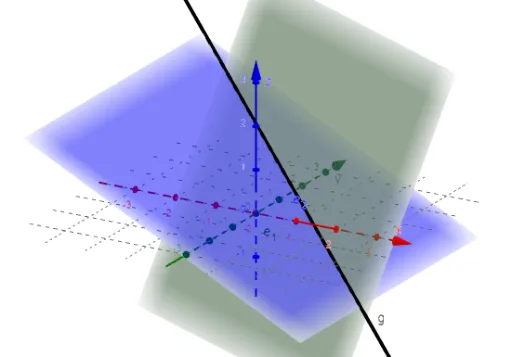
This example demonstrates the intersection line of two spatial planes and its dynamic behavior. Key mathematical concepts include solid geometry, plane equations, vector cross product, and intersection operations. Construction highlights the use of GeoGebra commands like IntersectPath (for intersection calculation), LaTeX (for text display), and objects such as a_1,b_1,c_1,d_1,a_2,b_2,c_2,d_2 (defining planes), gl1 (line object), e_1,e_2,g (auxiliary points or lines), and Text1,Text2 (annotations). Suitable for high school solid geometry instruction, university introductory geometry courses, or mathematical modeling for beginners.
GeoGebra Commands & Parameters
IntersectPath(e_1, e_2) → gLaTeX(g, true, true) → Text1
AI Drawing Prompt Reference
Draw the intersection line of two spatial planes, showing its dynamic behavior and annotate key mathematical concepts like plane equations, vector cross product, and intersection calculations. First, plot two auxiliary lines, find their intersection as the plane's intersection line, then label the equation of the line with mathematical formulas, and add auxiliary points and annotations to explain the geometric relationships.
The prompt above was compiled from the original drawing commands and is for reference only.