
Intersection of Cone and Cube
Loading the math board and drawing, please wait…
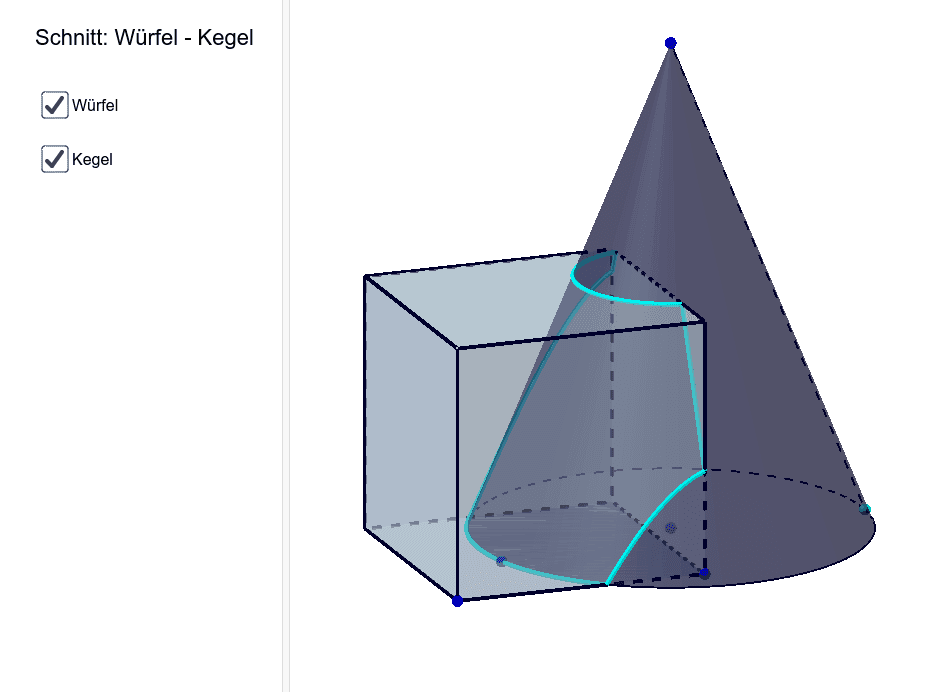
This example demonstrates the cross-section formed by the intersection of a cone and a cube. Key mathematical concepts include solid geometry and geometric construction. Using GeoGebra commands such as Circle, Cone, Cube, and Intersect, the cross-section can be constructed. Suitable for high school mathematics education and students learning solid geometry.
GeoGebra Commands & Parameters
Circle(A, B) → cOrthogonalLine(A, xOyPlane) → fPoint(f) → DCone(c, Distance[A, D]) → b, d, ePoint(c) → FSegment(D, F) → gDistance(A, B) → jMidpoint(A, B) → EPoint(Circle[G, Distance[C, G], Segment[C, G]]) → HCube(C, G, H) → a, I, FlaecheHIML, FlaecheJKLM, KanteCI, KanteCG, KanteGH, KanteHI, KanteCJ, KanteIM, KanteJM, KanteJK, J, KanteGK, KanteKL, KanteHL, KanteLM, K, L, M, FlaecheCGHI, FlaecheCIMJ, FlaecheCGKJ, FlaecheGHLKIntersect(g, FlaecheJKLM) → NIntersect(g, FlaecheHIML) → OIntersect(g, FlaecheGHLK) → PIntersect(g, FlaecheCIMJ) → QIntersect(g, FlaecheCGKJ) → SIntersect(g, FlaecheCGHI) → TLocus(N, F) → Ortslinie1Locus(O, F) → Ortslinie2Locus(P, F) → Ortslinie3Locus(Q, F) → Ortslinie4Locus(S, F) → Ortslinie5Locus(T, F) → Ortslinie6