
Interactive Introduction to Least Common Multiple (LCM)
Loading the math board and drawing, please wait…
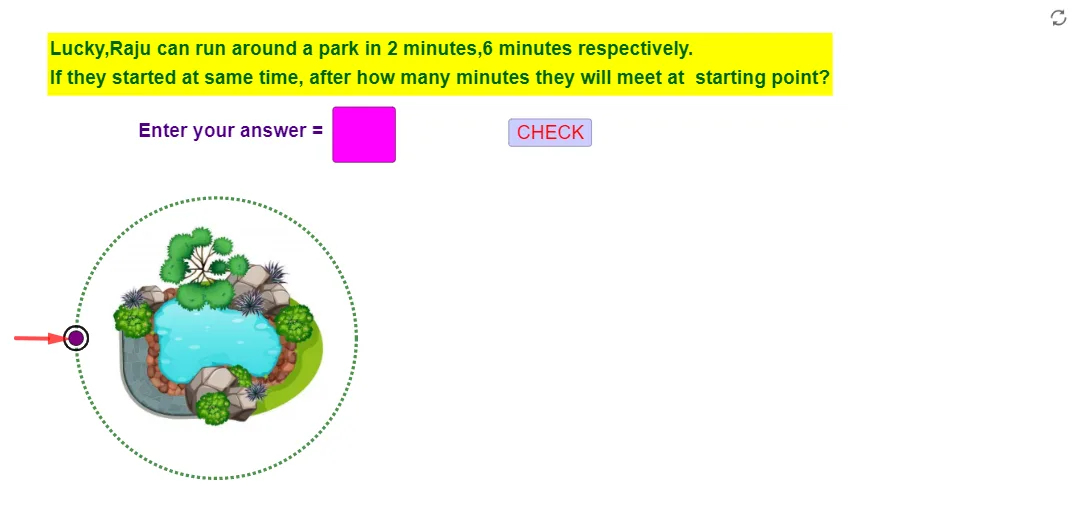
This GeoGebra example provides an interactive introduction to the concept of Least Common Multiple (LCM). It demonstrates how LCM is computed for pairs of integers, linking it to Greatest Common Divisor (GCD) and prime factorization. The construction uses commands such as Random and RandomElement to generate random integer pairs, PrimeFactors for factorization, and LCM/GCD for direct calculation. Visual elements are built with Circle, Point, Rotate, Vector, Sequence, and Segment to represent multiples and relationships, while Textfield and buttons (button1, button2) allow user input and dynamic updates. This resource is ideal for upper elementary and middle school students learning number theory, as well as for teachers demonstrating the relationship between LCM and GCD in a classroom setting. It enhances conceptual understanding through hands-on exploration and visual feedback.
GeoGebra Commands & Parameters
Random(1, 23) → fElement(L1, h) → bElement(L1, g) → aLCM(a, b) → cGCD(a, b) → ansIntersect(xAxis, yAxis) → ACircle(A, 3.5) → dPoint(d) → BPoint(d) → CRotate(B, α, A) → P1Rotate(C, β, A) → P2Circle(P1, 0.3) → eCircle(P2, 0.3) → kRandomElement(L_1) → text1RandomElement(L_2) → text2Vector(D, H) → uCircle(J, 0.3) → pCircle(I, 0.3) → qSequence((a * o)) → L3Sequence((b * g1), g1, 1, 10) → L4Sequence((a * o)) → L_4Sequence((a * s), s, 1, l) → L_5Sequence((b * s), s, 1, m) → L_6Random(1, 23) → f_1Element(L1_1, g_1) → a_1RandomElement(L_7) → text1_1Sequence((a_1 * s), s, 1, l_1) → L_8Random(1, 23) → f_2Element(L1_2, g_2) → a_2RandomElement(L_9) → text1_2Sequence((a_2 * s), s, 1, l_2) → L_{10}RandomElement(L_{11}) → text1_3Textfield(text8) → InputBox1PrimeFactors(b) → L_{13}PrimeFactors(c) → L_{14}PrimeFactors(a) → L_{12}PrimeFactors(ans) → L_{15}Segment(K, L) → tSegment(L, M) → i_1Element(L_{15}, 1) → vIntersect(t, i_1) → NSegment(N, O) → k_1Segment(O, P) → m_1Element(L_{15}, 2) → c_1Intersect(k_1, m_1) → QSegment(Q, R) → n_1Segment(R, S) → p_1Element(L_{15}, 3) → d1If(text8 ≟ text30, text10, text11) → text21Element(L_{14}, 1) → f1Element(L_{14}, 2) → f2Element(L_{14}, 3) → f3Element(L_{14}, 4) → f4Element(L_{14}, 5) → f5
AI Drawing Prompt Reference
Create an interactive number theory diagram showing multiples of two random integers as colored points arranged around a circle, with the least common multiple and greatest common divisor highlighted. Include two input boxes for changing the integers and buttons to update the display. Connect prime factorization steps with line segments forming a tree structure, and mark each multiple with small circles on the circumference. The layout should be clear for classroom use, emphasizing multiples, common multiples, and factorization relationships.
The prompt above was compiled from the original drawing commands and is for reference only.