
Interactive Function Transformations Generator and Quiz
Loading the math board and drawing, please wait…
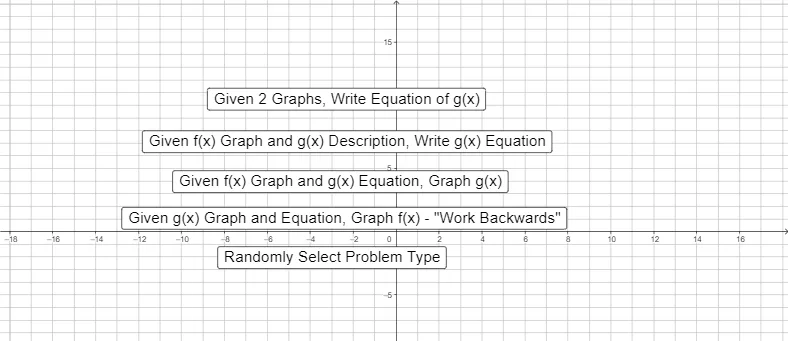
This GeoGebra example demonstrates the visual effects of function transformations, such as translation, scaling, and reflection, on a graph, while offering an interactive randomized quiz for practice. Core mathematical concepts include the impact of parameters $a, b, c, d$ in the general transformation formula on the parent function $f(x)$, linking algebraic changes to geometric movements. To construct this dynamic worksheet, the creator used GeoGebra commands like `Random`, `RandomElement`, `RandomDiscrete`, and `If` to generate random parameters and problems dynamically. The interface is built using text fields, input boxes, and control buttons to capture user guesses and provide feedback on variables like `case1guess` and `ShowProblem`. Key mathematical objects defined include the parent function $f$, the transformed function $f_{new}$, and coordinates/parameters $a, b, c, d$. This tool is highly suitable for high school and early college mathematics courses, particularly for interactive learning, visual exploration, and self-assessment tests on function graphing and transformations.
GeoGebra Commands & Parameters
Random(-4, 4) → rRandomElement({-2, -3 / 2, -1, -1 / 2, 1 / 2, 1, 3 / 2, 2}) → mRandomElement({-3, -2, -1, 1, 2, 3}) → nRandom(-5, 5) → pRandomElement({-2, -1, 1, 2}) → qRandomDiscrete({1, 2, 3, 4, 5}, {1, 1, 3, 3, 10}) → whatwegetIf(whatweget ≟ 1, A, whatweget ≟ 2, B, whatweget ≟ 3, C, whatweget ≟ 4, D, whatweget ≟ 5, E) → fRandomElement({-3, -2, -1, -1 / 2, 1 / 2, 1, 2, 3}) → aRandom(-6, 6) → cRandom(-6, 6) → dRandomDiscrete({1, 2, 3, 4}, {67, 67, 33, 33}) → ShowProblemTextfield(a1) → InputBox1Textfield(c1) → InputBox2Textfield(d1) → InputBox3Textfield(m_{1}) → InputBox4Textfield(x_{1}) → InputBox5Textfield(y_{1}) → InputBox6Textfield(a_{L1}) → InputBox7Textfield(b_{L1}) → InputBox8Textfield(m_{2}) → InputBox9Textfield(x_{2}) → InputBox10Textfield(y_{2}) → InputBox11Textfield(a_{L2}) → InputBox12Textfield(b_{L2}) → InputBox13Textfield(m_{3}) → InputBox14Textfield(x_{3}) → InputBox15Textfield(y_{3}) → InputBox16Textfield(a_{L3}) → InputBox17Textfield(b_{L3}) → InputBox18Textfield(w) → InputBox19Textfield(a_{h}) → InputBox20Textfield(b_{h}) → InputBox21Textfield(a_{C}) → InputBox22Textfield(b_{C}) → InputBox23Textfield(y_{C}) → InputBox24Textfield(y_{P}) → InputBox25
AI Drawing Prompt Reference
Draw a function graph to illustrate the visual effects of transformations on a base function, including translation, scaling, and reflection. Use randomly generated parameters a, b, c, d to adjust the transformations and plot both the original and transformed functions in the coordinate system. Include interactive controls allowing users to input parameter values and observe their impact on the function graph, with feedback to help understand how parameter changes affect the function's shape.
The prompt above was compiled from the original drawing commands and is for reference only.