
Interactive Fractions: Visualizing and Operating with Fractions
Loading the math board and drawing, please wait…
In collections
The Fractions book
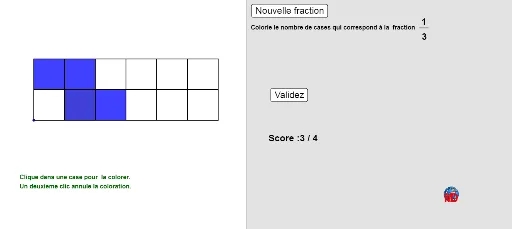
① This interactive GeoGebra example demonstrates fractions through dynamic visual representations, allowing users to click buttons or adjust sliders to explore fraction concepts. ② Core mathematical concepts include fraction basics, simplification, common denominators, addition and multiplication of fractions, and the relationship between fractions and whole numbers. ③ Construction highlights: uses commands like FractionText to display fractions, GCD for simplification, Sum and Element for list operations, Polygon to draw fractional parts, If and Clicked for interactive logic, Slider for parameter control, and Segment/Point for geometric modeling. ④ Suitable for upper elementary to middle school students, ideal for classroom demonstrations or self-paced learning, helping to grasp abstract fraction ideas and serving as a template for teachers creating interactive lessons.
GeoGebra Commands & Parameters
Sum(On) → ClickedElement(list4, Order, Pos) → DenoLength(Element[list4, Order]) → NumFactorIf(Mod[Total, 5] ≟ 0, 5, 6) → XIf((Total * Nume / Deno) ≟ Clicked, true, false) → CorrectIf((¬NewItem) ∧ Correct ∨ ShowAns, true, false) → FreezePolygon(M, N, 4) → poly1off, a, b, c, d, O, PPolygon(M, N, 4) → poly1on, e, f, g, h, Q, RPolygon(N, S, 4) → poly2off, i, j, k, l, T, UPolygon(N, S, 4) → poly2on, m, n, p, q, V, WPolygon(S, Z, 4) → poly3off, s, t, a_1, b_1, A_1, B_1Polygon(S, Z, 4) → poly3on, c_1, d_1, e_1, f_1, C_1, D_1Polygon(Z, A, 4) → poly4off, g_1, h_1, i_1, j_1, B, CPolygon(Z, A, 4) → poly4on, k_1, l_1, m_1, n_1, E_1, F_1Polygon(A, D, 4) → poly5off, p_1, q_1, r_1, s_1, G_1, H_1Polygon(A, D, 4) → poly5on, t_1, a_2, b_2, c_2, I_1, J_1Polygon(D, E, 4) → poly6off, d_2, e_2, f_2, g_2, K_1, L_1Polygon(D, E, 4) → poly6on, h_2, i_2, j_2, k_2, M_1, N_1Polygon(P, O, 4) → poly7off, l_2, m_2, n_2, p_2, F, O_1Polygon(P, O, 4) → poly7on, q_2, r_2, s_2, t_2, P_1, Q_1Polygon(O, V, 4) → poly8off, a_3, b_3, c_3, d_3, G, R_1Polygon(O, V, G, F) → poly8on, o, v, g_3, f_3Polygon(V, C, 4) → poly9off, e_3, h_3, i_3, j_3, H, S_1Polygon(V, C, H, G) → poly9on, v_1, c_4, h_4, g_4Polygon(C, B, 4) → poly10off, k_3, l_3, m_3, n_3, I, T_1Polygon(C, B, I, H) → poly10on, c_5, b_4, i_4, h_5Polygon(B, G_1, 4) → poly11off, p_3, q_3, r_3, s_3, J, U_1Polygon(B, G_1, J, I) → poly11on, b_5, g_5, j_4, i_5Polygon(G_1, K_1, 4) → poly12off, t_3, a_4, d_4, e_4, K, V_1Polygon(G_1, K_1, K, J) → poly12on, g_6, k_4, k_5, j_5FractionText(num / 12) → texte3If(Clicked ≟ num, 1, 0) → valIf(num ≟ Clicked, 1, 0) → bbPolygon(W_1, Z_1, A_2, B_2) → poly1, w_1, z_1, a_5, b_6GCD(12, num) → rrSegment(C_2, D_2) → f_4