
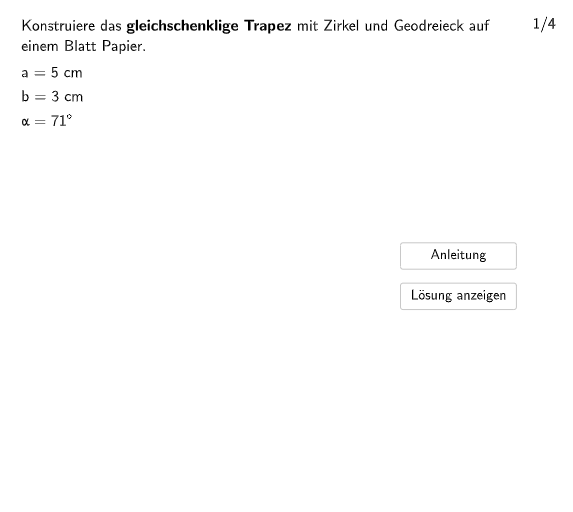
Constructing an Isosceles Trapezoid
Loading the math board and drawing, please wait…
In collections
Trapez - Eigenschaften und Konstruktionen
This example demonstrates how to construct an isosceles trapezoid using GeoGebra. The core mathematical concepts involved include geometric construction and properties of polygons. The construction points include using circles, segments, rotation, and polygons, etc. Suitable for teaching geometry in middle school or elementary school.
GeoGebra Commands & Parameters
Element(randomNumbersC, Mod[questionCount, Length[randomNumbersC]] + 1) → sliderCOriginalElement(randomNumbersB, Mod[questionCount, Length[randomNumbersB]] + 1) → sliderBOriginalElement(randomNumbersA, Mod[questionCount, Length[randomNumbersA]] + 1) → sliderAOriginalShuffle({1, 2, 3, 4}) → bspList, {1, 2, 4, 3}Sequence(Random[1, 10], i, 1, 10) → randomNumbers, {3, 6, 1, 10, 2, 2, 6, 5, 1, 8}Element(randomNumbers, Mod[questionCount, Length[randomNumbers]] + 1) → randomNumberSegment(A, B) → segABRotate(B, winkel, A) → B'Ray(A, B') → gPolygon((-6, 8), (8, 8), (8, 12), (-6, 12)) → q1, h, i, j, kAngle(B, A, B') → αAngle(B, A, B') → alph1Circle(A, sideD) → cPoint(c) → CPoint(c) → DRotate(A, (-winkel), B) → A'Ray(B, A') → lAngle(A', B, A) → βCircle(B, sideD) → ePoint(e) → FPoint(e) → GCircleArc(B, F, G) → pPoint(e) → SPoint(e) → TCircle(A, sideB) → p_1Point(p_1) → UCircleArc(A, U, V) → q_1Circle(B, sideB) → r_1Point(r_1) → WPoint(r_1) → ZCircleArc(B, W, Z) → s_1Circle(B, sideD) → t_1Point(t_1) → A_1Point(t_1) → B_1CircleArc(B, A_1, B_1) → c_2Intersect(If[bsp ≟ 1, s_1, If[bsp ≟ 3, c_2]], l) → H,Circle(A, sideD) → d_2Point(d_2) → C_1Point(d_2) → D_1CircleArc(A, C_1, D_1) → e_2Intersect(If[bsp ≟ 3, e_2, If[bsp ≟ 1, q_1]], g) → E,Segment(E, H) → segCDSegment(A, E) → segADSegment(B, H) → segBCAngle(A, E, H) → γAngle(E, H, B) → δSegment(I, J) → segCD2Rotate(I, winkel, J) → I'Polygon((-6, 0.5), (9, 0.5), (9, -3), (-6, -3)) → q2, m, n, q, rRay(J, I') → sAngle(I, J, I') → εRotate(J, (-winkel), I) → J'Ray(I, J') → tAngle(J', I, J) → ζCircle(I, sideD) → c_1Point(c_1) → KCircleArc(I, K, L) → d_1Circle(I, sideB) → f_2Point(f_2) → G_1Point(f_2) → H_1CircleArc(I, G_1, H_1) → g_2Intersect(If[bsp ≟ 2, d_1, If[bsp ≟ 4, g_2]], t) → M,Segment(I, M) → segAD2Circle(J, sideD) → e_1Point(e_1) → NPoint(e_1) → OCircleArc(J, N, O) → f_1Circle(J, sideB) → dPoint(d) → E_1Point(d) → F_1CircleArc(J, E_1, F_1) → k_1Intersect(If[bsp ≟ 2, f_1, If[bsp ≟ 4, k_1]], s) → P,Segment(J, P) → segBC2Segment(M, P) → segAB2Angle(P, M, I) → ηAngle(J, P, M) → θPolygon((-6, -4), (-6, 12), (9, 12), (9, -4)) → q3, a, b, g_1, h_1Segment(A - (0, .12), A + (0, 0.12)) → seg1Segment(B - (0, .12), B + (0, 0.12)) → seg2Segment(I - (0, .12), I + (0, 0.12)) → seg3Segment(J - (0, .12), J + (0, 0.12)) → seg4
AI Drawing Prompt Reference
Draw an isosceles trapezoid by starting with a base line, then use rotation and circle intersections to construct the non-parallel sides, ensuring the legs are equal in length, and finally connect the vertices to form a closed shape, labeling key angles.
The prompt above was compiled from the original drawing commands and is for reference only.