
Interactive example: add a number to two numbers to reach a target sum
Loading the math board and drawing, please wait…
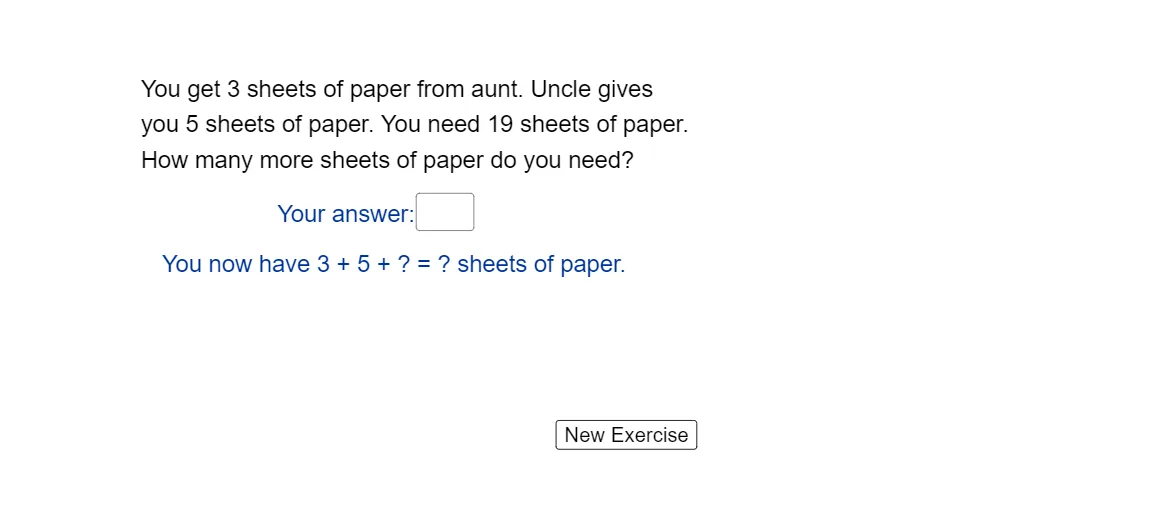
This example demonstrates how to satisfy an arithmetic constraint: given two numbers a and b and a target c, find an additional number ans such that a + b + ans = c. It visualizes the idea of solving for an unknown from a simple equation and immediately checks whether the entered value meets the required result. The key concepts are arithmetic equations, variable isolation (ans = c − a − b), and dynamic feedback using interactive controls. Construction (from the provided GeoGebra summary): Random is used to generate the problem data (e.g., a, b, c); Textfield together with an input component like InputBox1 lets users enter or adjust ans; sum computes a + b as an intermediate quantity; multiple text objects (text1–text5) display the step-by-step values and the final verification; button1 triggers recalculation/refreshing so the displayed texts update accordingly. Suitable for primary and middle school learners and for classroom interactive exercises or introductory modeling activities.
GeoGebra Commands & Parameters
Random(1, 10) → aRandom(1, 20) → bTextfield(ans) → InputBox1
AI Drawing Prompt Reference
Create an interactive arithmetic visual for a simple constraint: randomly generate two integer inputs a and b and display them. Add an editable input box where the user enters an additional number ans. Show the computed intermediate result a + b, and present step-by-step text that expresses the check condition a + b + ans = c, including the displayed values for the current ans. Include a refresh/update control so when the user changes ans, the displayed steps and the verification text update immediately.
The prompt above was compiled from the original drawing commands and is for reference only.