
Interactive Demo of Conditional Probability & Linear Programming
Loading the math board and drawing, please wait…
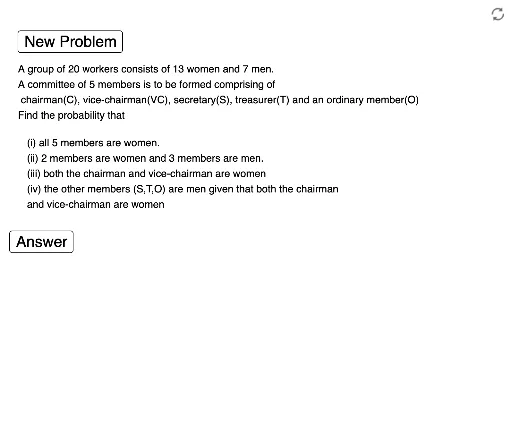
①This example demonstrates the calculation of conditional probability and the solution process of linear programming problems through an interactive interface; ②Core mathematical concepts include conditional probability, probability theory, linear programming or linear optimization, arithmetic operations, linear functions, rational numbers, and geometric intuition; ③Construction highlights: Utilizing GeoGebra's Random and If commands, combined with button1, button2 controls, and objects like w, m, o, c, n for dynamic demonstrations, with text1 to text10 text objects to display results; ④Suitable for high school mathematics teaching, helping students understand abstract concepts and enhancing learning through visualization.
GeoGebra Commands & Parameters
Random(10, 14) → wRandom(6, 8) → mIf(c ≟ 3, "chairman (C), vice-chairman(VC) and secretary(S)", If[c ≟ 4, "chairman(C), vice-chairman(VC), secretary(S) and treasurer(T)", "chairman(C), vice-chairman(VC), secretary(S), treasurer(T) and an ordinary member(O)"]) → text2Random(1, 2) → n1If(n1 ≟ 1, "member is a woman", "members are women") → text8If(n2 ≟ 1, "member is a man", "members are men") → text9If(c ≟ 3, "the other member (S) is a man", If[c ≟ 4, "the other members (S, T) are men", "the other members (S,T,O) are men"]) → text10
AI Drawing Prompt Reference
Create an interactive visualization showing conditional probability and linear programming. Include randomly generated numbers and role assignments, controlled by buttons to display different member combinations. Use text objects to dynamically show results like role names and member genders, enhancing geometric intuition for abstract concepts.
The prompt above was compiled from the original drawing commands and is for reference only.