
Lucky Draw: Prime Number Probability Interactive Exercise
Loading the math board and drawing, please wait…
In collections
Wahrscheinlichkeitsrechnung - Einführung
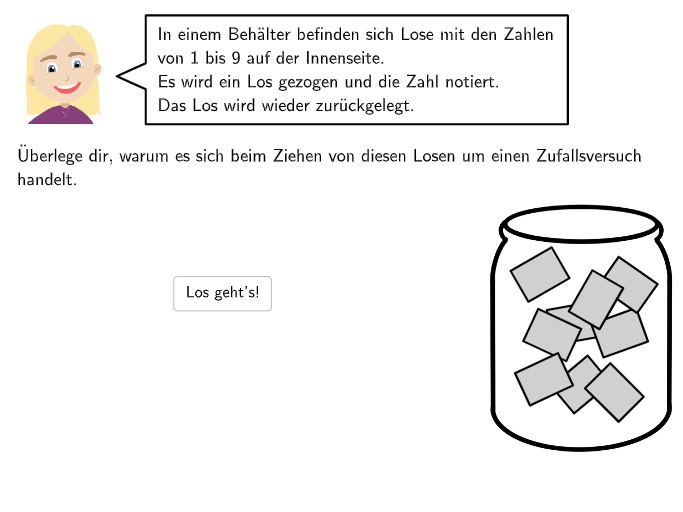
This interactive GeoGebra example presents a probability exercise for middle school students. A container holds balls numbered 1 through 10, and the winning rule is that drawing a prime number yields a prize. Students must identify which numbers belong to the event 'win'. The core mathematical concepts include sample space, events, prime numbers, and the intuitive notion of probability. The construction uses GeoGebra commands such as Point, Polygon, Sequence, Textfield, Checkbox, CountIf, IsInteger, and RotateText to create the visual container, interactive input fields, and automatic feedback. It is suitable for grades 7-8 to practice probability reasoning and can be used by teachers to demonstrate how technology quantifies uncertainty.
GeoGebra Commands & Parameters
Point(Line[BH1, xAxis]) → BH2Point(OrthogonalLine[V2, Line[V2, V3]]) → V1Point(Segment[V1, V2]) → V5Intersect(Line[V5, xAxis], Segment[V3, V4]) → V6Polygon(V1, V4, V6, V5) → v2, j, k, l, mPolygon(V1, V2, V3, V4) → v1, f, g, h, iPointIn(v1) → P9PointIn(v1) → P8PointIn(v1) → P7PointIn(v1) → P6PointIn(v1) → P5PointIn(v1) → P4PointIn(v1) → P3PointIn(v1) → P2PointIn(v1) → P1Zip(If[P ∈ v2, 1, 0], P, {P1, P2, P3, P4, P5, P6, P7, P8, P9}) → listInV2IndexOf(1, listInV2) → inV2numIsInteger((inV2num * 0.5)) → isWin1CountIf(P ∈ v2, P, {P1, P2, P3, P4, P5, P6, P7, P8, P9}) → inV2SelectedIndex(DropDown3) → input3SelectedIndex(DropDown2) → input2SelectedIndex(DropDown11) → input11SelectedIndex(DropDown10) → input10PointIn(Polygon[G, G + (linesize, 0), G + (linesize, 1), G + (0, 1)]) → H3PointIn(Polygon[G, G + (linesize, 0), G + (linesize, 1), G + (0, 1)]) → H2PointIn(Polygon[G, G + (linesize, 0), G + (linesize, 1), G + (0, 1)]) → H1Sequence(G + ((m * linesize / 5), 0), m, 0, 5) → listpointsTextfield(input1) → Eingabefeld1Textfield(input2) → Eingabefeld2Textfield(input4) → Eingabefeld4Textfield(input5) → Eingabefeld5Textfield(input6) → Eingabefeld6Point(Line[E, xAxis]) → FSegment(G, G + (linesize, 0)) → nZip(Segment[P + (0, -0.2), P + (0, 0.2)], P, listpoints) → listlinesRotateText("\textsf{unmöglich}", 45°) → Text21RotateText("\textsf{~~~~~~~sehr\\unwahrscheinlich}", 45°) → Text22RotateText("\textsf{unwahrscheinlich}", 45°) → Text23RotateText("\textsf{wahrscheinlich}", 45°) → Text24RotateText("\textsf{~~~~~~sehr\\wahrscheinlich}", 45°) → Text25RotateText("\textsf{sicher}", 45°) → Text26Point(Line[Bab1, xAxis]) → Bab2Element({L1, L2, L3, L4, L5, L6, L7, L8, L9, L10, L11, L12, L13, L14}, step) → LElement({M1, M2, M3, M4, M5, M6, M7, M8, M9, M10, M11, M12, M13, M14}, step) → MLaTeX(step, true, true) → Text36Rotate(Segment[ArrowCenter + (ArrowDistance, 0), ArrowCenter + (ArrowDistance + ArrowLength, 0)], ArrowAngle + ((1 - 1) * (360°) / ArrowNumber), ArrowCenter) → arrow1
AI Drawing Prompt Reference
Create a probability exercise diagram for the rule “win if the drawn number is prime.” Include coordinate axes and a rectangular container area, with polygonal boundaries forming the container frame. Add several small reference marks along the left side at fixed horizontal levels. Below, draw a horizontal strip divided into five equal segments and place an evenly spaced sequence of points on it; at each point, draw short vertical divider segments. Provide text fields/areas near the controls for selecting inputs and indicate the qualitative probability levels using rotated text labels placed around the figure. Finish by adding a curved/angled pointer arrow with a rotation-based indicator to guide user selection.
The prompt above was compiled from the original drawing commands and is for reference only.