
Interactive Cone Volume Demo with GeoGebra
Loading the math board and drawing, please wait…
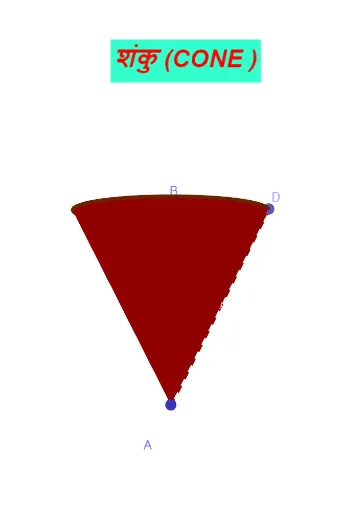
This GeoGebra example dynamically demonstrates the calculation of cone volume, intuitively showing the derivation of the volume formula V=1/3πr²h. Core mathematical concepts include: geometric properties of cones, volume calculation formulas, applications of definite integrals, and the concept of limits in solid geometry. Construction highlights: Use the Cone command to create a 3D cone model, draw auxiliary line segments with Segment commands to determine height and base radius, mark key points with Point commands, and implement interactive demonstrations with button controls. Slider animations allow dynamic parameter adjustments to observe volume changes. Suitable for middle school solid geometry teaching, higher mathematics definite integral visualization, and as an auxiliary tool for geometric intuitive teaching.
GeoGebra Commands & Parameters
Cone(B, A, 2) → a, c, bCone(C, A, h / 2) → d, e, fSegment(B, C) → gPoint(c) → DSegment(B, D) → iSegment(D, A) → j
AI Drawing Prompt Reference
Draw a cone with adjustable base radius and height using a slider to demonstrate the volume formula V=1/3πr²h. Include auxiliary line segments to define the base radius and height, mark key points, and add button controls for animations to observe volume changes with parameter adjustments.
The prompt above was compiled from the original drawing commands and is for reference only.