
Körperix Robot: Random Geometry & Difference Quotient Generator
Loading the math board and drawing, please wait…
In collections
Rauminhalt zusammengesetzter Körper - Quader und Würfel
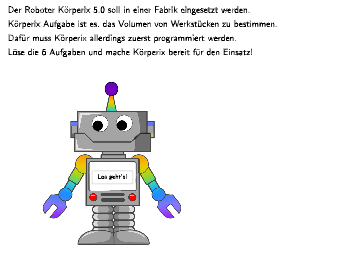
This interactive GeoGebra example demonstrates a robot named 'Körperix' that generates random math problems through variable manipulation. Core mathematical concepts include: ①construction and volume calculation of solid figures (cubes, cuboids); ②coordinate representation of rectangles and polygons; ③numerical calculation of difference quotients and slopes; ④random sampling from normal distribution. Construction uses Sequence and Shuffle for generating random question lists, Point/Vector/Translate for geometric transformations, Dilate for scaling, Polygon/Rectangle for object creation, and dy/dx calculation for slope (difference quotient). Suitable for middle to high school mathematics, demonstrating variable applications in geometry, intuitive understanding of function slopes, and interactive random problem generation in probability & statistics.
GeoGebra Commands & Parameters
Vector(pointVec) → vecTextfield(input1) → InputBox1Textfield(input2) → InputBox2Defined((input1 * input2)) → fixedShuffle(Sequence[Random[0, 10], i, 1, 100]) → randomNosForX, {4, 4, 5, 10, 6, 4, 7, 9, 2, 9, 9, 8, 4, 10, 4, 3, 4, 1, 9, 1, 8, 3, 3, 10, 9, 0, 4, 6, 4, 7, 10, 2, 3, 2, 1, 0, 5, 10, 3, 2, 5, 10, 4, 8, 0, 1, 2, 3, 1, 4, 8, 1, 9, 9, 2, 4, 5, 0, 6, 7, 9, 3, 2, 1, 8, 2, 2, 6, 3, 2, 4, 6, 10, 3, 5, 4, 2, 2, 6, 7, 3, 2, 9, 7, 5, 5, 3, 10, 0, 9, 2, 4, 9, 1, 5, 1, 9, 1, 2, 3}Element(randomNosForX, Mod[questionCount, 100] + 1) → numXTranslate(object01L0BG1, vec) → object01L0BG1'Sequence(Segment[Vertex[object01L0BG1(1), i], Vertex[object01L0BG1'(1), i]], i, 1, 10) → object01L1LinesRemoveUndefined(Sequence[If[i ∈ {2, 3, 4, 5, 6}, object01L1Lines(i)], i, 1, 10]) → object01L2LinesManualTranslate(object02L0BG1, vec) → object02L0BG1'Sequence(Segment[Vertex[object02L0BG1(1), i], Vertex[object02L0BG1'(1), i]], i, 1, 10) → object02L1LinesRemoveUndefined(Sequence[If[i ∈ {2, 6, 7, 8}, object02L1Lines(i)], i, 1, 10]) → object02L2LinesManualTranslate(object03L0BG1, vec) → object03L0BG1'Sequence(Segment[Vertex[object03L0BG1(1), i], Vertex[object03L0BG1'(1), i]], i, 1, 10) → object03L1LinesTranslate(object04L0BG1, vec) → object04L0BG1'Sequence(Segment[Vertex[object04L0BG1(1), i], Vertex[object04L0BG1'(1), i]], i, 1, 10) → object04L1LinesRemoveUndefined(Sequence[If[i ∈ {1, 5, 6}, object04L1Lines(i)], i, 1, 10]) → object04L1LinesManualTranslate({Segment[pointObject04P1, pointObject04P6], Segment[pointObject04P6, pointObject04P5]}, vec) → object04L4BGKonturTranslate(object06L0BG1, vec) → object06L0BG1'Sequence(Segment[Vertex[object06L0BG1(1), i], Vertex[object06L0BG1'(1), i]], i, 1, 10) → object06L1LinesRemoveUndefined(Sequence[If[i ∈ {1, 3, 4, 5, 7, 8}, object06L1Lines(i)], i, 1, 10]) → object06L1LinesManualTranslate({PolyLine[{pointObject06P3, pointObject06P4, pointObject06P5}], PolyLine[{pointObject06P7, pointObject06P8, pointObject06P1}]}, vec) → object06L4BGKonturPoint(object06L4BGKontur) → pointObject06P9Point(object06L0BG1) → pointObject06P10Dilate(listFrame1, 0.97, Midpoint[pointFrame1, pointFrame3]) → listFrame2Dilate(listFrame1, 1.02, Midpoint[pointFrame1, pointFrame3]) → listFrame3Join({{Segment[pointObject02P7, pointObject02P4]}, {Segment[pointObject02P7 + vec, pointObject02P4 + vec]}}) → object02HintKonturJoin({{Segment[pointObject02P6, pointObject02P6 + vec]}, {Segment[pointObject02P6 + vec, pointObject02P7 + vec]}, object02L2Kontur3}) → object02HintKonturDashedRemoveUndefined(Sequence[If[i ∈ {2, 3, 4, 5, 6}, object03L1Lines(i)], i, 1, 10]) → object03L1LinesManualSequence(Rotate[Segment[CenterFBRay + (0.5, 0), CenterFBRay + (1, 0)], i°, CenterFBRay], i, 0, 360, 30) → FlashlightPolygon(pointlips1, pointlips2, pointlips3, pointlips4) → lips, f_1, g_1, h_1, i_1
AI Drawing Prompt Reference
Draw a “robot-style” geometry problem generator on a coordinate plane: build several panel frames from pairs of segment outlines created by translating the same contour by a single vector, so different faces appear as shifted copies; connect/overlay a few contour hint lines to suggest structure along the panel edges; create a flashlight-like beam by rotating a segment around a fixed center through angles over a full turn; add a lips or facial polygon region composed of multiple polygon points; keep all parts consistent with the same translation and slight scaling relationships so the robot panels look coordinated.
The prompt above was compiled from the original drawing commands and is for reference only.