
Interactive Addition and Subtraction of Mixed Numbers
Loading the math board and drawing, please wait…
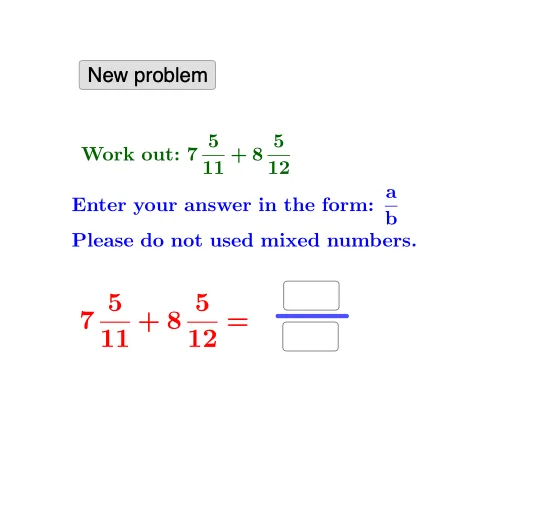
This example demonstrates how to add and subtract mixed numbers by converting between mixed-number and improper-fraction representations and then composing the final simplified result. It focuses on key concepts: equivalence of mixed numbers and improper fractions, fraction arithmetic rules, extracting numerators and denominators, and handling both addition and subtraction cases consistently. Construction and interaction are implemented using GeoGebra commands such as Random and RandomElement to generate randomized operands, If to switch between addition/subtraction logic, Textfield for user inputs and displayed values, Numerator/Denominator to retrieve fraction components, and Segment plus FractionText to visualize the quantities and annotate the fraction results. The setup includes input controls (e.g., InputBox1/InputBox2) and a button (button1) along with multiple text objects to present intermediate and final answers. Suitable for middle-school learners studying fraction operations, classroom practice, and interactive exploratory learning.
GeoGebra Commands & Parameters
Random(1, 10) → aRandomElement(l1) → dRandom(1, 10) → eRandom(e + 1, 12) → fIf(d < 0, ((-((f * abs(d)) + e))) / f, ((f * d) + e) / f) → rRandom(1, 10) → bRandom(b + 1, 12) → cRandom(1, 10) → gRandom(1, 10) → hRandom(h + 1, 12) → iTextfield(k) → InputBox1Numerator(j) → lDenominator(j) → mSegment(A, B) → pTextfield(o) → InputBox2If(l ≟ k ∧ m ≟ o, "Correct!", "Wrong. Try again.") → text2FractionText(s) → text8FractionText(t) → text9
AI Drawing Prompt Reference
This is an interactive graphic demonstrating the addition and subtraction of mixed numbers. The graphic includes randomly generated numbers for mixed number calculations. Users can input numbers via input boxes, and the system automatically computes and displays results. The graphic features line segments and fraction text to visualize quantities and annotate fraction results. Text objects display intermediate and final answers. The construction order is to generate random numbers, then calculate mixed numbers, and finally use line segments and fraction text to present results. Suitable for classroom practice on fraction operations.
The prompt above was compiled from the original drawing commands and is for reference only.