
Interactive Addition and Subtraction of Fractions (Non-Mixed) 01
Loading the math board and drawing, please wait…
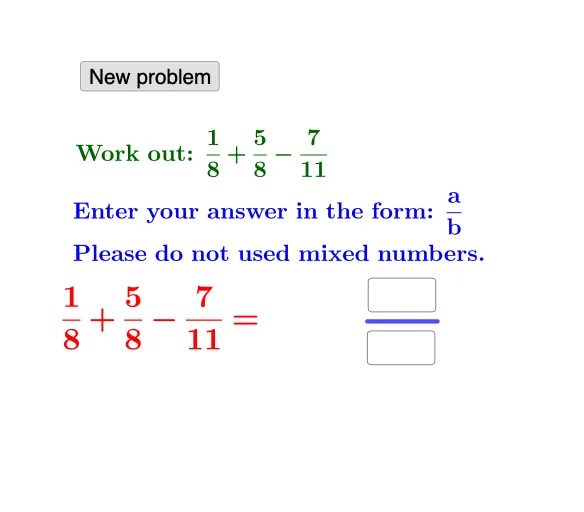
① This GeoGebra example demonstrates, in an interactive visual-and-text form, how the expressions for adding and subtracting fractions are constructed and displayed as the inputs change. ② The key math ideas are fraction representation via numerator and denominator, the rules for fraction addition and subtraction (including cases that may require conditional handling), and the use of piecewise logic to present the correct result format. ③ From the construction summary, the example is built with Random to generate practice values, Textfield/InputBox1/InputBox2 to let learners enter numerators and denominators, Numerator and Denominator variables to store the components, Segment for supporting geometric/text layout cues, If for conditional branching, and FractionText to render results as properly formatted fraction text. Objects such as button1, text1–text8, and variables (a, b, d–i, j–n, A, B, etc.) coordinate the input→compute→display workflow. ④ Suitable for middle-school math instruction and practice, as well as for teaching how interactive controls and conditional logic (piecewise behavior) can be used to guide fraction computation and its presentation.
GeoGebra Commands & Parameters
Random(1, 10) → aRandom(1, 10) → bRandom(1, 10) → dRandom(1, 10) → eRandom(e + 1, 12) → fRandom(1, 10) → gRandom(1, 10) → hRandom(h + 1, 12) → iRandom(b + 1, 12) → cTextfield(k) → InputBox1Numerator(j) → lDenominator(j) → mSegment(A, B) → pTextfield(o) → InputBox2If(l ≟ k ∧ m ≟ o, "Correct!", "Wrong. Try again.") → text2FractionText(q) → text6FractionText(r) → text7FractionText(s) → text8
AI Drawing Prompt Reference
This is an interactive demonstration of fraction addition and subtraction. The diagram includes two input boxes for users to enter the numerator and denominator. There is also a conditional judgment area that displays "Correct!" or "Try again." based on whether the input is correct. Additionally, there are three fraction display areas to show the results. The construction order is: first, some values are randomly generated, then users input the numerator and denominator, followed by conditional judgment and result display.
The prompt above was compiled from the original drawing commands and is for reference only.