
Inscribed Cylinder in a Cone by Andreas Lindner
Loading the math board and drawing, please wait…
In collections
intersection: surface-surface, curve-curve
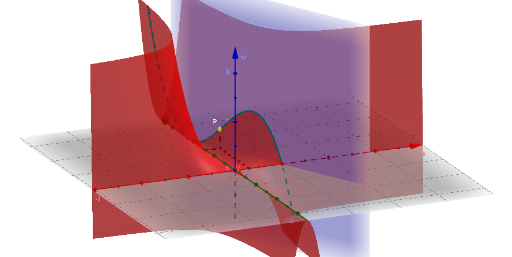
This example demonstrates the geometric construction and dimensional relationships of a cylinder inscribed within a cone. Key math concepts include solid geometry, volume calculations, and optimization problems. Construction highlights involve using GeoGebra commands like Segment, CurveCartesian, points (V, P, P_2, etc.), circles (c), radii (R, r), heights (H), and text objects (Text1, Text2, Text3). Suitable for high school geometry, calculus, and optimization problem learning.
GeoGebra Commands & Parameters
Segment(A, C) → dSegment(B, C) → eSegment(C, P) → fCurveCartesian(w, H - (w * H / R), ((w^(2) * π) * (H - (w * H / R))), w, -2, 2) → bSegment(P, P_2) → iCurveCartesian(w, 0, ((H * π) * ((R * w^(2)) - w^(3)) / R), w, -2, 2) → g
AI Drawing Prompt Reference
Draw a cone with base C and vertex B, and an inscribed cylinder whose base is parallel to the cone's base and top touches the cone's side. Use curves for the cylinder's side and base, and lines for the cone's edges and cylinder's edges. Label the radii R and r of the cone and cylinder, and the height H of the cone.
The prompt above was compiled from the original drawing commands and is for reference only.