
IM 6.1.12 Lesson: What Is Surface Area? — Prism Surface Area Demonstration (Acti
Loading the math board and drawing, please wait…
In collections
Grade 6 Unit 1: Area and Surface Area
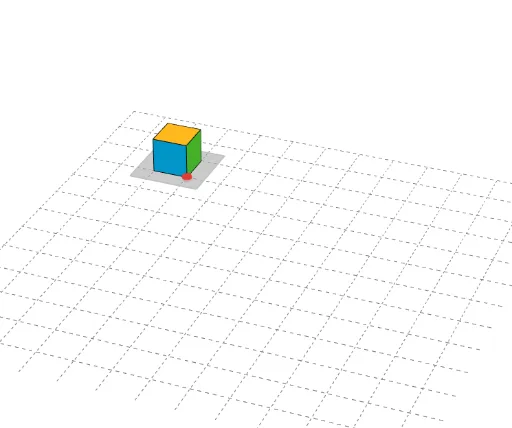
This GeoGebra example demonstrates the surface area of a prism by dynamically displaying its base polygons, lateral faces, and edges, helping students visualize how total surface area is composed of base areas and lateral rectangular faces. Core mathematical concepts include solid geometry, surface area of prisms, polygon area composition, and additive area measurement. The construction uses GeoGebra commands Polygon and Prism to build base polygons (poly1_2, poly1_3) and the prism solid, with labeled vertices (A_2–H_2, A_3–G_3), edges (edgeAE_2, edgeBF_2, edgeCG_2, edgeDH_2, edgeEF_2, edgeFG_2, edgeGH_2, edgeEH_2), and faces (faceABFE_2, faceBCGF_2, faceCDHG_2, faceADHE_2, faceEFGH_2). It is suitable for middle school (Grade 6–7) geometry instruction, classroom demonstrations, surface-area concept introduction, and independent student exploration.
GeoGebra Commands & Parameters
Polygon(A_2, B_2, C_2, D_2) → poly1_2, a_2, b_2, c_2, d_2Prism(poly1_2, E_2) → e_2, F_2, edgeBF_2, edgeCG_2, edgeDH_2, edgeEF_2, edgeFG_2, edgeGH_2, edgeEH_2, G_2, H_2, faceABFE_2, faceBCGF_2, faceCDHG_2, faceADHE_2, faceEFGH_2, edgeAE_2Polygon(A_3, B_3, C_3, D_3) → poly1_3, a_3, b_3, c_3, d_3Prism(poly1_3, E_3) → e_3, F_3, edgeBF_3, edgeCG_3, edgeDH_3, edgeEF_3, edgeFG_3, edgeGH_3, edgeEH_3, G_3, H_3, faceABFE_3, faceBCGF_3, faceCDHG_3, faceADHE_3, faceEFGH_3, edgeAE_3Polygon(A_4, B_4, C_4, D_4) → poly1_4, a_4, b_4, c_4, d_4Prism(poly1_4, E_4) → e_4, F_4, edgeBF_4, edgeCG_4, edgeDH_4, edgeEF_4, edgeFG_4, edgeGH_4, edgeEH_4, G_4, H_4, faceABFE_4, faceBCGF_4, faceCDHG_4, faceADHE_4, faceEFGH_4, edgeAE_4Polygon(A_5, B_5, C_5, D_5) → poly1_5, a_5, b_5, c_5, d_5Prism(poly1_5, E_5) → e_5, F_5, edgeBF_5, edgeCG_5, edgeDH_5, edgeEF_5, edgeFG_5, edgeGH_5, edgeEH_5, G_5, H_5, faceABFE_5, faceBCGF_5, faceCDHG_5, faceADHE_5, faceEFGH_5, edgeAE_5Polygon(A_6, B_6, C_6, D_6) → poly1_6, a_6, b_6, c_6, d_6Prism(poly1_6, E_6) → e_6, F_6, edgeBF_6, edgeCG_6, edgeDH_6, edgeEF_6, edgeFG_6, edgeGH_6, edgeEH_6, G_6, H_6, faceABFE_6, faceBCGF_6, faceCDHG_6, faceADHE_6, faceEFGH_6, edgeAE_6Polygon(A_7, B_7, C_7, D_7) → poly1_7, a_7, b_7, c_7, d_7Prism(poly1_7, E_7) → e_7, F_7, edgeBF_7, edgeCG_7, edgeDH_7, edgeEF_7, edgeFG_7, edgeGH_7, edgeEH_7, G_7, H_7, faceABFE_7, faceBCGF_7, faceCDHG_7, faceADHE_7, faceEFGH_7, edgeAE_7Polygon(A_8, B_8, C_8, D_8) → poly1_8, a_8, b_8, c_8, d_8Prism(poly1_8, E_8) → e_8, F_8, edgeBF_8, edgeCG_8, edgeDH_8, edgeEF_8, edgeFG_8, edgeGH_8, edgeEH_8, G_8, H_8, faceABFE_8, faceBCGF_8, faceCDHG_8, faceADHE_8, faceEFGH_8, edgeAE_8Polygon(A_9, B_9, C_9, D_9) → poly1_9, a_9, b_9, c_9, d_9Prism(poly1_9, E_9) → e_9, F_9, edgeBF_9, edgeCG_9, edgeDH_9, edgeEF_9, edgeFG_9, edgeGH_9, edgeEH_9, G_9, H_9, faceABFE_9, faceBCGF_9, faceCDHG_9, faceADHE_9, faceEFGH_9, edgeAE_9Polygon(A_{10}, B_{10}, C_{10}, D_{10}) → poly1_{10}, a_{10}, b_{10}, c_{10}, d_{10}Prism(poly1_{10}, E_{10}) → e_{10}, F_{10}, edgeBF_{10}, edgeCG_{10}, edgeDH_{10}, edgeEF_{10}, edgeFG_{10}, edgeGH_{10}, edgeEH_{10}, G_{10}, H_{10}, faceABFE_{10}, faceBCGF_{10}, faceCDHG_{10}, faceADHE_{10}, faceEFGH_{10}, edgeAE_{10}Polygon(A_{11}, B_{11}, C_{11}, D_{11}) → poly1_{11}, a_{11}, b_{11}, c_{11}, d_{11}Prism(poly1_{11}, E_{11}) → e_{11}, F_{11}, edgeBF_{11}, edgeCG_{11}, edgeDH_{11}, edgeEF_{11}, edgeFG_{11}, edgeGH_{11}, edgeEH_{11}, G_{11}, H_{11}, faceABFE_{11}, faceBCGF_{11}, faceCDHG_{11}, faceADHE_{11}, faceEFGH_{11}, edgeAE_{11}Polygon(A_1, B_1, C_1, D_1) → poly1_1, a_1, b_1, c_1, d_1Prism(poly1_1, E_1) → e_1, F_1, edgeBF_1, edgeCG_1, edgeDH_1, edgeEF_1, edgeFG_1, edgeGH_1, edgeEH_1, G_1, H_1, faceABFE_1, faceBCGF_1, faceCDHG_1, faceADHE_1, faceEFGH_1, edgeAE_1Polygon(A_{12}, B_{12}, C_{12}, D_{12}) → poly1_{12}, a_{12}, b_{12}, c_{12}, d_{12}Prism(poly1_{12}, E_{12}) → e_{12}, F_{12}, edgeBF_{12}, edgeCG_{12}, edgeDH_{12}, edgeEF_{12}, edgeFG_{12}, edgeGH_{12}, edgeEH_{12}, G_{12}, H_{12}, faceABFE_{12}, faceBCGF_{12}, faceCDHG_{12}, faceADHE_{12}, faceEFGH_{12}, edgeAE_{12}Polygon(E, B, C, D) → poly1, a, b, c, d
AI Drawing Prompt Reference
Draw the net of a prism, including base polygons and lateral rectangular faces. First, draw a quadrilateral base, then construct a prism with this base and display the net, showing the base polygons and lateral rectangular faces.
The prompt above was compiled from the original drawing commands and is for reference only.