
Identify Lines of Symmetry of a Regular Pentagon
Loading the math board and drawing, please wait…
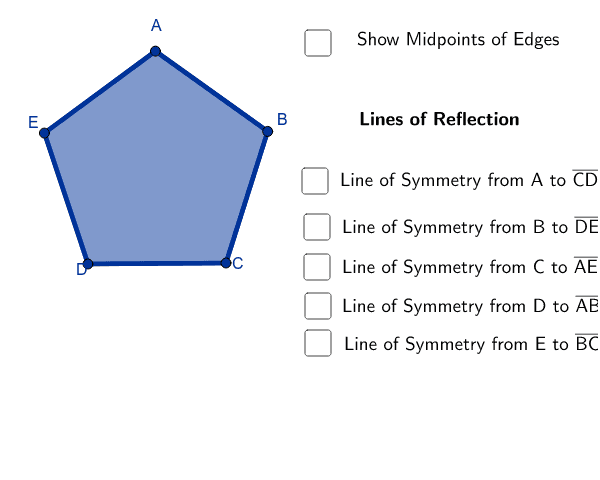
① This example demonstrates how to draw and identify all lines of symmetry of a regular pentagon, visually revealing its symmetry properties. ② Core mathematical concepts include axial symmetry, the number and arrangement of symmetry axes in regular polygons, and the property that each axis divides the shape into congruent halves. ③ Construction highlights: using GeoGebra commands Polygon to create the pentagon, OrthogonalLine and Intersect to locate the perpendicular bisectors through vertices and midpoints of opposite sides, and Segment to draw the symmetry axes; key objects include poly1, vertices A-E, perpendicular lines, intersection points F-J, and segments k-t. ④ Suitable for middle school geometry lessons or introductory symmetry exploration, ideal for classroom demonstration or self-study to understand the distribution of symmetry axes in regular polygons.
GeoGebra Commands & Parameters
Polygon(D, C, 5) → poly1, a, b, c, d, e, B, A, EOrthogonalLine(A, a) → fOrthogonalLine(E, b) → gOrthogonalLine(B, e) → hOrthogonalLine(D, c) → iOrthogonalLine(C, d) → jIntersect(j, d) → FIntersect(f, a) → GIntersect(g, b) → HIntersect(i, c) → IIntersect(h, e) → JSegment(A, G) → kSegment(I, D) → lSegment(B, J) → mSegment(C, F) → nSegment(E, H) → p
AI Drawing Prompt Reference
Draw a regular pentagon and construct all its lines of symmetry. Start by creating the pentagon, then from each vertex draw a perpendicular line to the opposite side, intersecting at the midpoint. Connect each vertex to the midpoint of its opposite side to form five symmetry axes. These axes divide the pentagon into ten congruent right triangles, clearly showing the pentagon's axial symmetry.
The prompt above was compiled from the original drawing commands and is for reference only.